![logo bleu-blanc2.png]](https://blog.robotiq.com/hs-fs/hubfs/logo%20bleu-blanc2.png?height=40&name=logo%20bleu-blanc2.png)
This article lists and explains the most common error codes displayed on the FANUC CRX teach pendant when using the Robotiq Gripper Plugin.
These errors typically appear under the prefix: PLUG-001 [Robotiq Gripper-XXX]
-
Robotiq Plugin and Documentation:
-
Plugin Instruction Manual: Gripper Plugin Instruction Manual for Fanuc CRX
-
Plugin software download, FANUC controller V10.10 (R-50iA): Robotiq Gripper Plugin for Fanuc CRX (FCG-2.0.0.zip)
-
Plugin software download, FANUC controller V9.40 (R-30iB): Robotiq Gripper Plugin for Fanuc CRX (FCG-1.1.1_20240905.zip)
-
1. Activation and Communication Errors
- Gripper not activated [Robotiq Gripper-001]
- Ensure a ROBOTIQ Activate instruction is placed before any open/close instruction.
- Check cables for damage or loose connections.
- Get Gripper status failed [Robotiq Gripper-002]
- Check wiring and connector integrity.
- Ensure the system can communicate with the gripper at activation or move.
- Gripper move failed [Robotiq Gripper-003]
- Usually caused by poor electrical connection.
- Inspect all cabling.
- Gripper activate failed [Robotiq Gripper-004]
- Check cables and power supply.
2. Slave ID and Register Errors
- Get registers failed [Robotiq Gripper-005]
- Gripper may not be connected during the ID change process.
- Confirm correct slave ID is selected.
- Gripper change ID error [Robotiq Gripper-006]
- Applies to 2F-85/2F-140 models. Ensure the full ID change process completes.
- Gripper failed to reboot [Robotiq Gripper-007]
- Retry the ID change process.
- Gripper failed to change ID [Robotiq Gripper-008]
- New ID not saved. Repeat the change procedure.
- Slave ID not present or type must be int [Robotiq Gripper-009]
- Ensure slave ID is entered and is an integer.
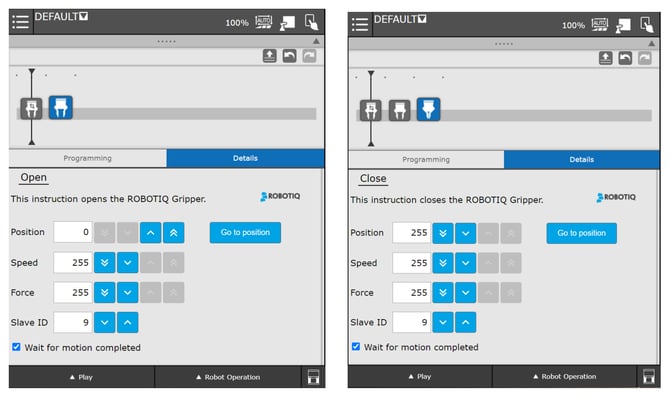
3. Parameter Validation Errors
Each of these occurs when required input parameters are missing or invalid.
|
Error Code |
Parameter |
Valid Range |
|
Robotiq Gripper-010 |
Position |
0–255 |
|
Robotiq Gripper-011 |
Position out of range |
0–255 |
|
Robotiq Gripper-012 |
Speed |
0–255 |
|
Robotiq Gripper-013 |
Speed out of range |
0–255 |
|
Robotiq Gripper-014 |
Force |
0–255 |
|
Robotiq Gripper-015 |
Force out of range |
0–255 |
|
Robotiq Gripper-016 |
Wait for motion completed |
Must be integer |
|
Robotiq Gripper-017 |
Wait for motion completed out of range |
0–1 |
Resolution for all of the above:
- Confirm all values are set in the interface
- Use only valid integer inputs within allowed ranges
Conclusion
These error codes are designed to quickly alert users to misconfigurations or connection problems. Most can be resolved by:
- Ensuring activation is done first
- Verifying all physical connections
- Using valid, correctly typed parameters
If the issue persists after trying these solutions, please contact Robotiq Support with your error code and system details.
Need help? Contact Robotiq Support.
Useful Links
-
Robotiq Support Website – Manuals and plug-in documentation
-
Related articles:
-
Installation: Installing a Robotiq Gripper on Fanuc CRX
-
Programming:
- <p data-pm-slice="1 1 [" bullet_list",null,"list_item",{"font_size":"11pt","color":null,"backgroundcolor":null,"fontfamily":"\"lexend="" deca\""}]"="">Controlling a Robotiq Gripper on FANUC CRX using the Robotiq Gripper Plugin
- <p data-pm-slice="1 1 [" bullet_list",null,"list_item",{"font_size":"11pt","color":null,"backgroundcolor":null,"fontfamily":"\"lexend="" deca\""}]"="">Controlling a Robotiq Gripper on FANUC CRX using the Teach Pendant and Karel Programs
-
Updated: August 25, 2026