![logo bleu-blanc2.png]](https://blog.robotiq.com/hs-fs/hubfs/logo%20bleu-blanc2.png?height=40&name=logo%20bleu-blanc2.png)
This knowledge Article describes how to integrate a Triple A robotics Wingman(™) tool changer with Robotiq screwdriving solutions and Robotiq grippers on Universal Robots. It provides the required hardware references, compatibility information, mechanical installation guidelines, and high-level software configuration steps for CB-Series, e-Series, UR20, and UR30 robots.
Material Needed - Robotiq
1/- Robotiq Screwdriving Solution
Complete Solution including :
- SD-100 Screwdriver Basic Kit
- SF-300 Screw Feeder Basic Kit
- Force Copilot or FT-300-S
- Screwdriving Bit
For CB-Series Robot :
- Torx : SOL-SDS-ES-D1F3-T
- Philips : SOL-SDS-ES-D1F3-P
- Hex Metric : SOL-SDS-ES-D1F3-MH
- Hex Imperial : SOL-SDS-ES-D1F3-IH
For E-Series Robot (male or female connector) :
- Torx : SOL-SDS-CB-D1F3-T
- Philips : SOL-SDS-CB-D1F3-P
- Hex Metric : SOL-SDS-CB-D1F3-MH
- Hex Imperial : SOL-SDS-CB-D1F3-IH
2/- Robotiq Gripper (Hand-E, 2F85, 2F140, E-Pick)
For CB-Series Robot :
- Hand-E : HND-UR-KIT
- 2F85 : AGC-ES-UR-KIT-140
- 2F140 : AGC-UR-KIT-140
- E-Pick : VAC-CB-UR-EPICK-KIT1
For E-Series Robot (Female Connector) :
- Hand-E : HND-ES-UR-KIT
- 2F85 : AGC-ES-UR-KIT-85
- 2F140 : AGC-ES-UR-KIT-140
- E-Pick : VAC-ES-UR-EPICK-KIT1
For E-Series Robot (Male Connector) :
- Hand-E : HND-ES-UR-KIT and CBL-COM-2072
- 2F85 : AGC-ES-UR-KIT-85 and CBL-COM-2072
- 2F140 : AGC-ES-UR-KIT-140 and CBL-COM-2072
- E-Pick : VAC-ES-UR-EPICK-KIT1 and CBL-COM-2072
Material Needed - Wingman(™)
1/- Robot Wrist Kit
- WM1-P-01-01-UR2
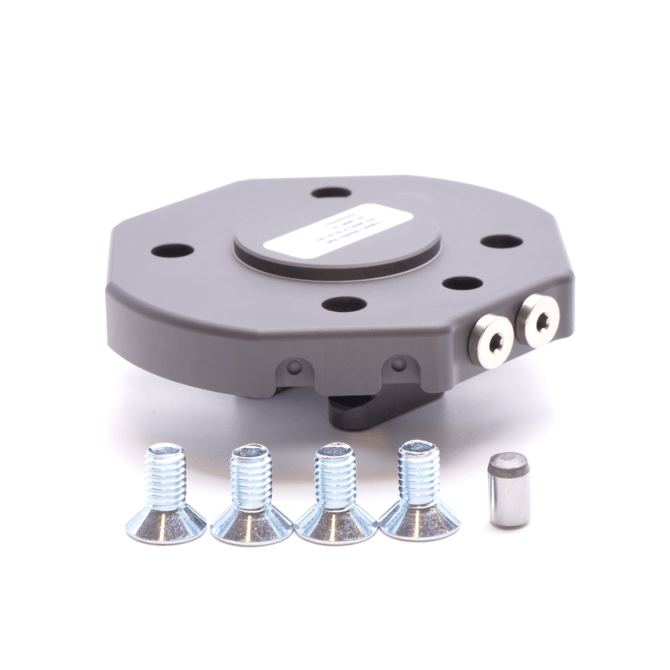
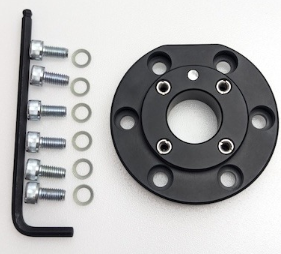
For UR20 and UR30, the following adaptor flanges are required:
- SM1-P-10-01-01
- ACC-APL-UR20
2/- Robotiq Screwdriving Solution
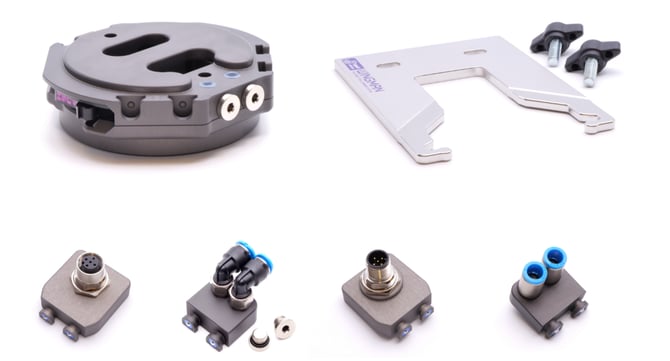
Required Wingman(™) components:
- WM1-P-02-01-01 per screwdriver
- WM1-P-03-01 per screwdriver
- WM1-TPK-RQ1-R
- WM1-TPK-RQ1-T per screwdriver
3/- Robotiq Gripper
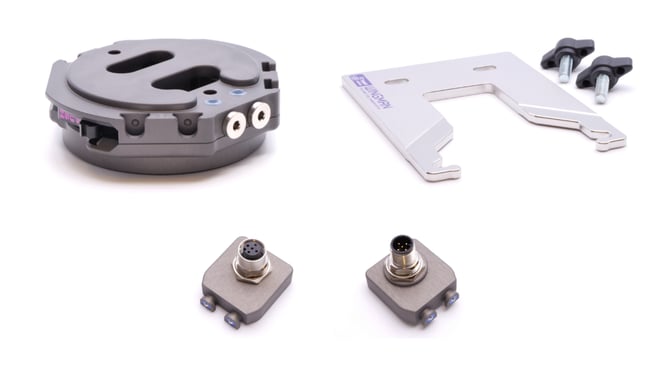
For E-Series Robot (Male Connector), required Wingman(™) components:
- WM1-P-02-01-01 per gripper
- WM1-P-03-01 per gripper
- WM1-A-01-01-01
- WM1-A-01-02-01 per gripper
- WM1-A-02-01-07
For E-Series Robot (Female Connector), required Wingman(™) components:
- WM1-P-02-01-01 per gripper
- WM1-P-03-01 per gripper
- WM1-A-01-01-01
- WM1-A-01-02-02A per gripper
- WM1-A-02-01-10
For CB-Series Robot, required Wingman(™) components:
- WM1-P-02-01-01 per gripper
- WM1-P-03-01 per gripper
- WM1-A-09-01-01A
- WM1-A-09-02-01A per gripper
- WM1-A-13-01-04
4/- Example
For E-Series Robot (Female Connector) with a 2F85, an E-Pick and a Screwdriver Hex Metric, you will need :
|
Wingman(™) Parts
|
Robotiq Parts
|
Installation
1/- Tool part holder Installation
The tool part holder (WM1-P-03-01) supports an end-effector of up to 5 kg (rated couple payload) installed in the tool part holder with a center of gravity that results in up to 1 Nm of torque between the tool part holder and the tool part (WM1-P-02-01-01).
The tool part holder has two elongated holes intended for 6 mm bolts for installation. The two mounting holes makes installation easy on a tabletop or on standard aluminum profiles such as: 50*100 mm / 50*50 mm / 40*80 mm / 40*40 mm.
Important : the Tool Part Holder must be installed in a horizontal position.
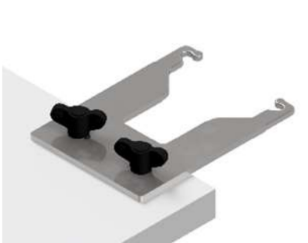
2/- Robot Part Installation
A/- Install the pin in the robot part.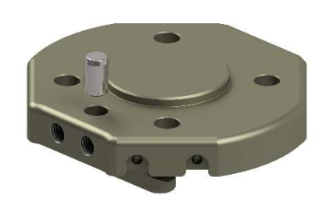
B/- Install the robot part on the cobot using all four provided bolts. Tighten all four bolts with the torque specified for your cobot.
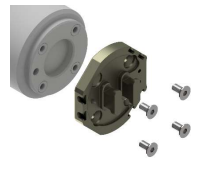
C/- Install the pass-through modules you need for your application if any and install the necessary cables/hoses between your chosen controller and the pass-through modules.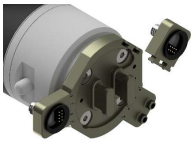
3/- Robotiq Screwdriving Solution Installation
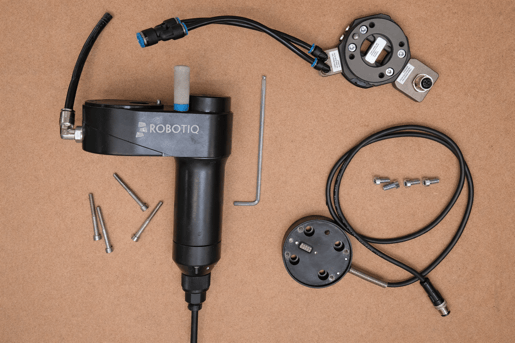
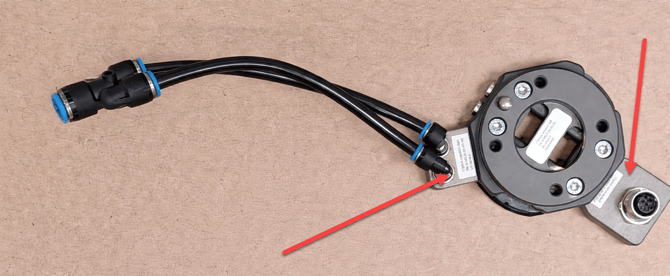
A/- Fix the two connectors on the Wingman(™) base
B/- Insert the coupling into the corresponding screw holes (red) and alignment pin (blue), then tighten the screws.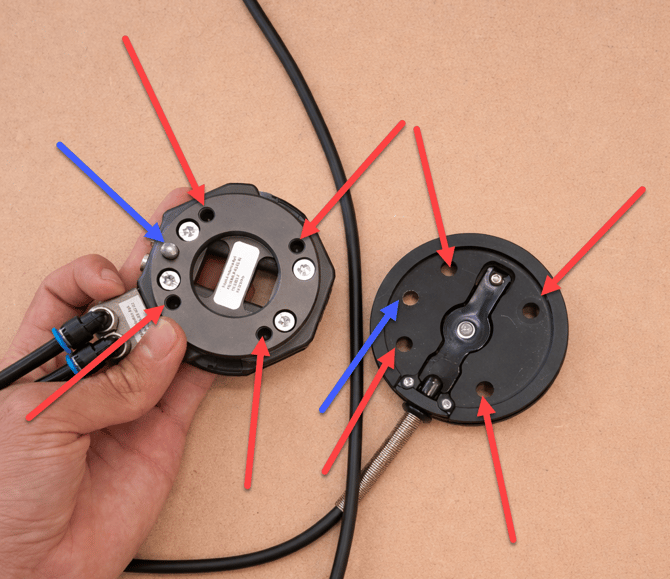
C/- Insert the screwdriver onto the coupling, aligning the screw holes (red) and pin (blue), then secure it using the screws.
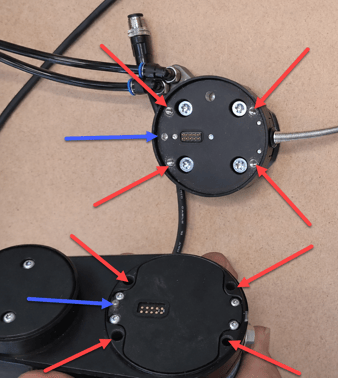
D/- The configuration is now complete
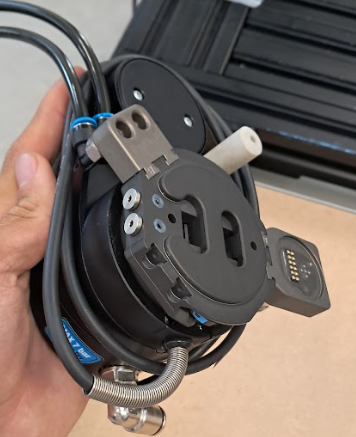
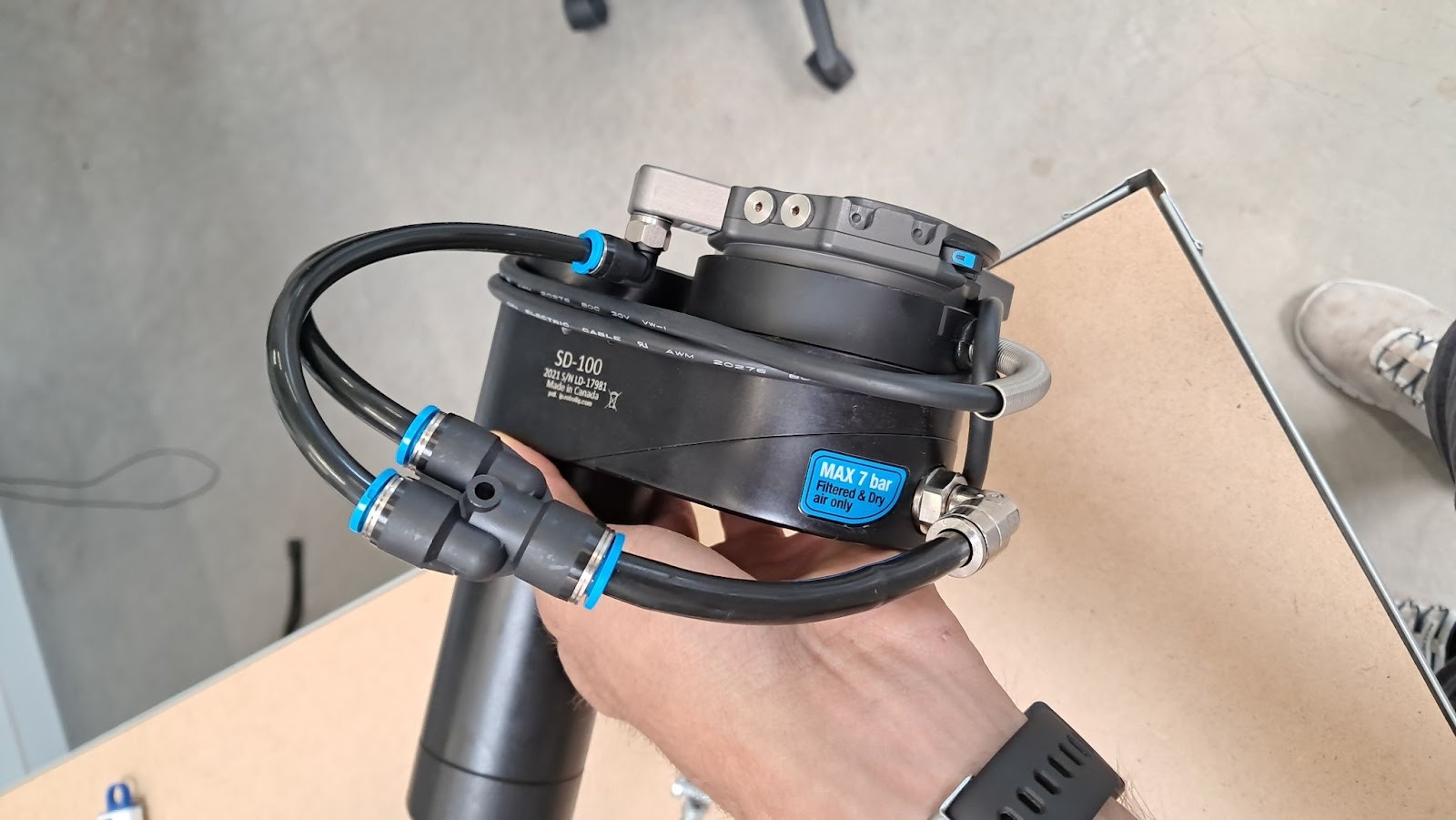
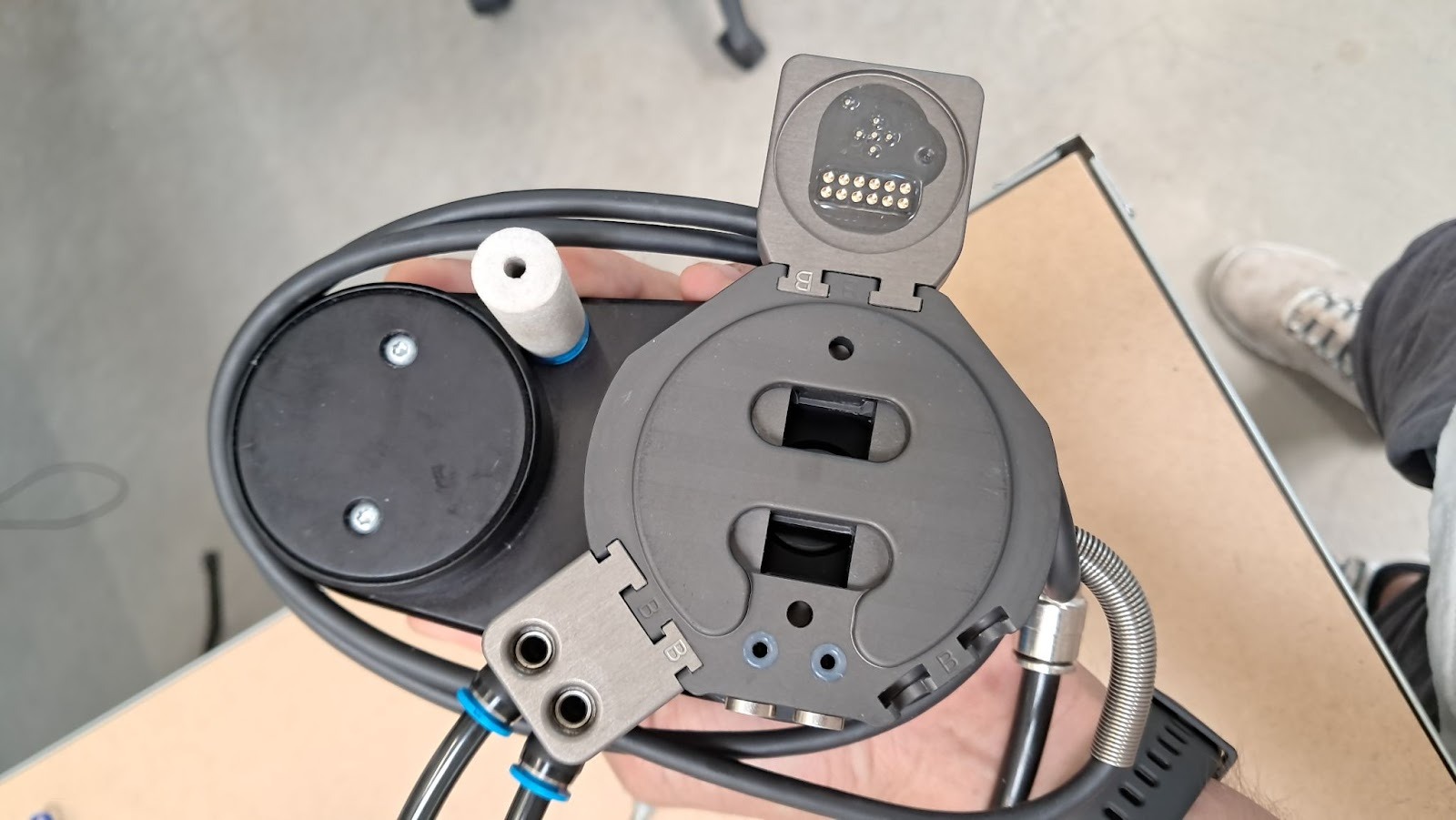
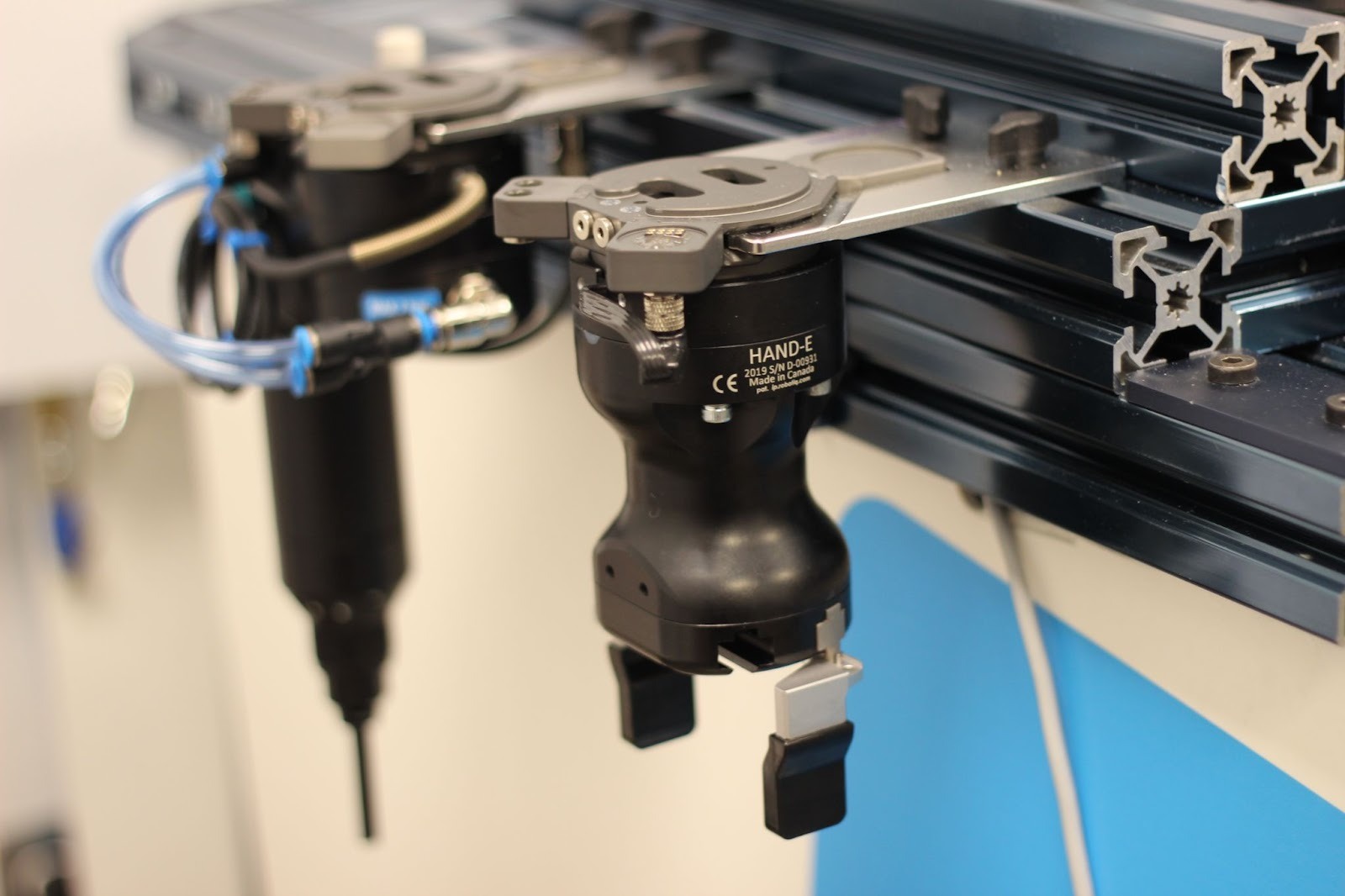
E/- Plug the assembly into the Wingman(™) tool holder.
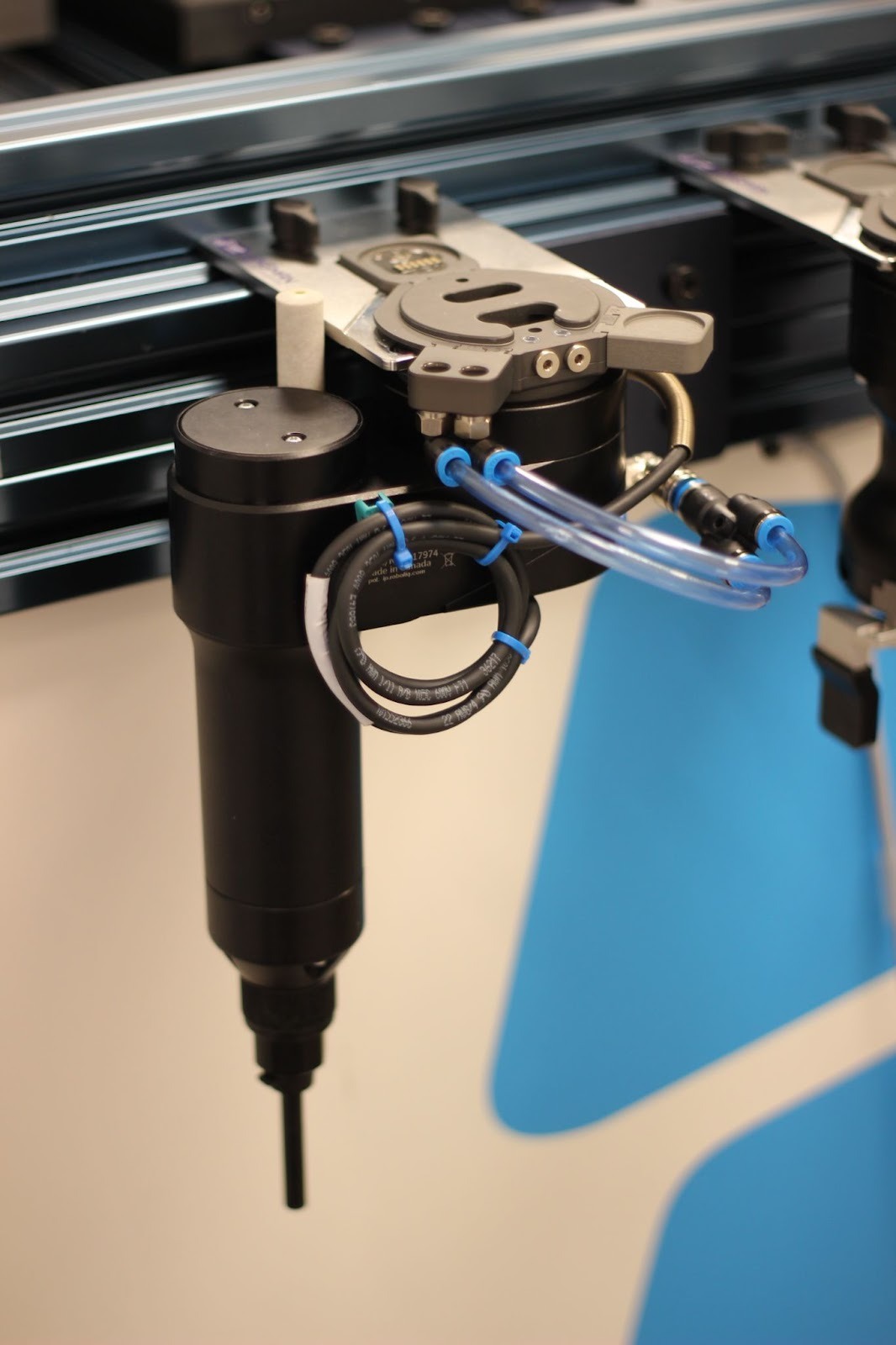
4/- Robotiq Gripper Installation
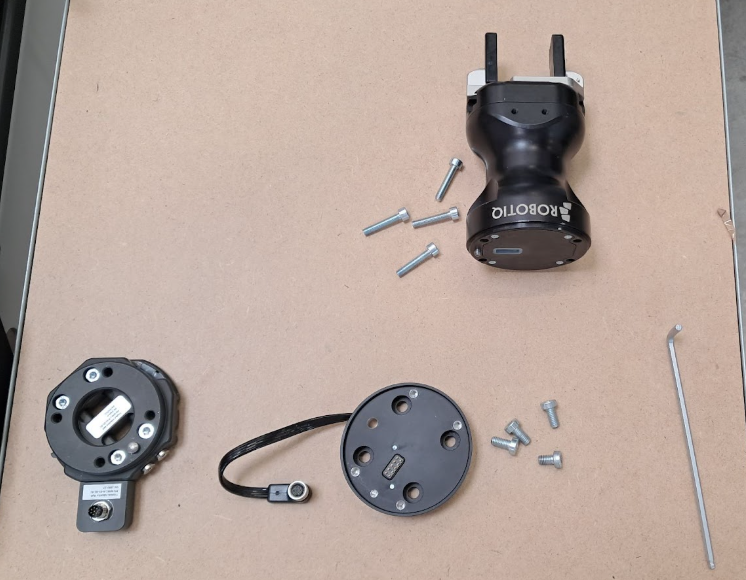
A/- Fix the connector on the Wingman(™) base
B/- Insert the coupling into the corresponding screw holes and alignment pin, then tighten the screws.
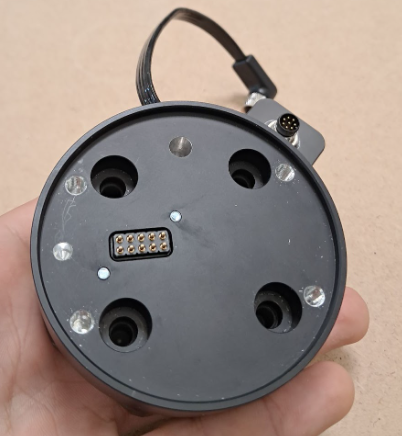
C/- Insert the gripper onto the coupling, aligning the screw holes and pin, then secure it using the screws.
D/- The configuration is now complete.
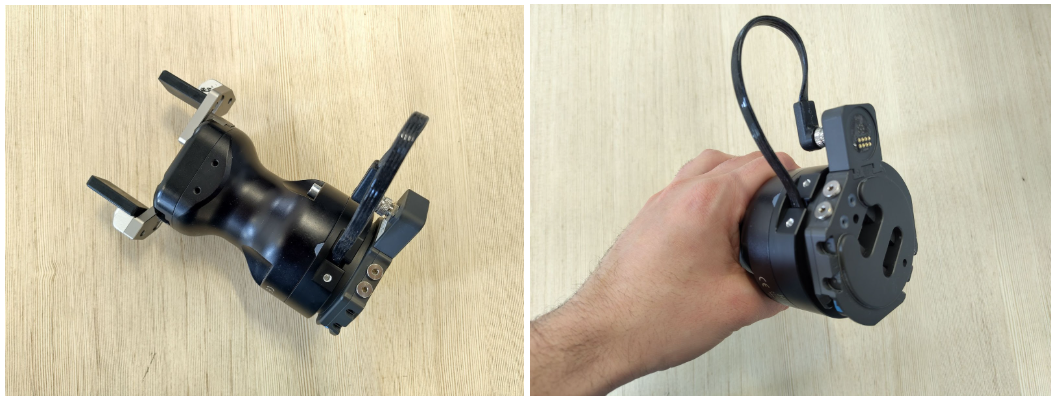
E/- Plug the assembly into the Wingman(™) tool holder.
Software Configuration
- Update the robot firmware by using this article.
- Update Polyscope
- Install the required URCaps (Robotiq and Wingman(™))
Program Templates
1/- Tools Programs
A/- Create a Tool. Add the node AAA - Tools on the before Start and click on “Create Tools”. 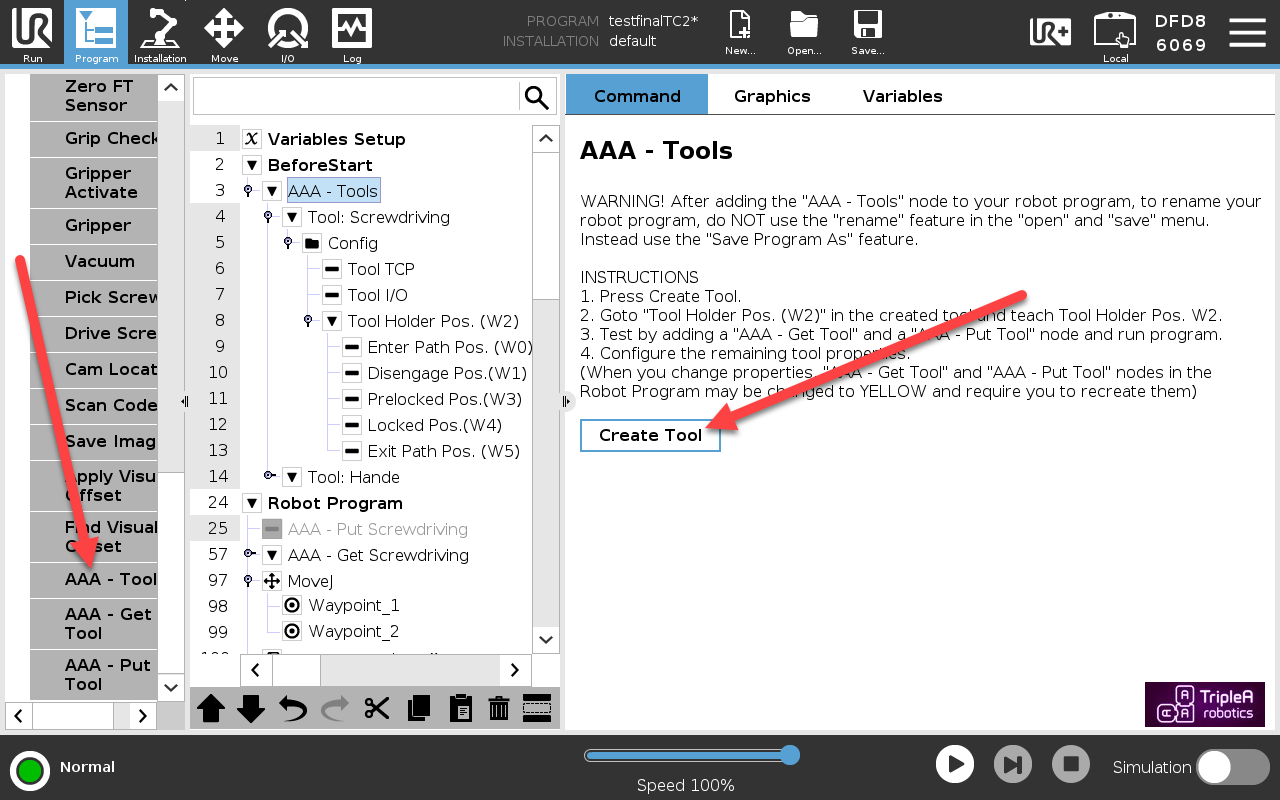
B/- Configure the TCP. Tool information and TCP data are available on the Robotiq Support website.
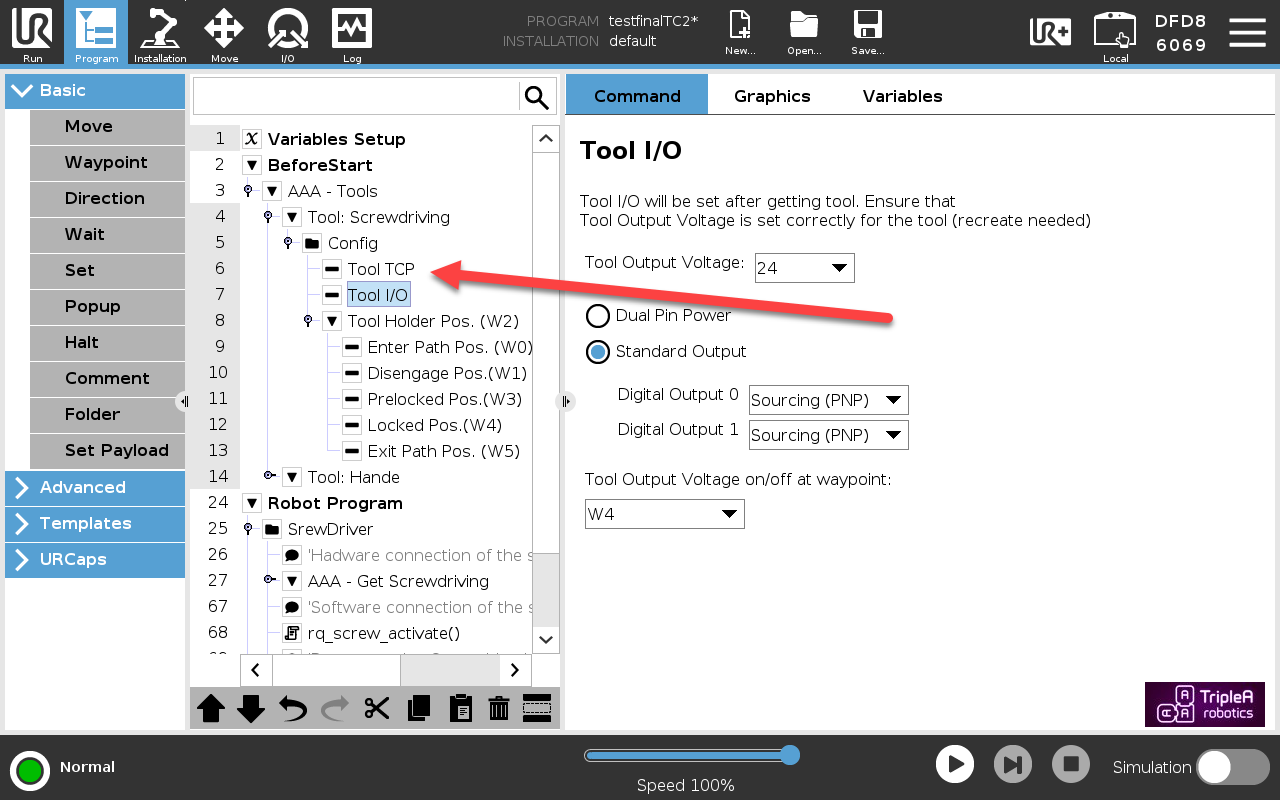
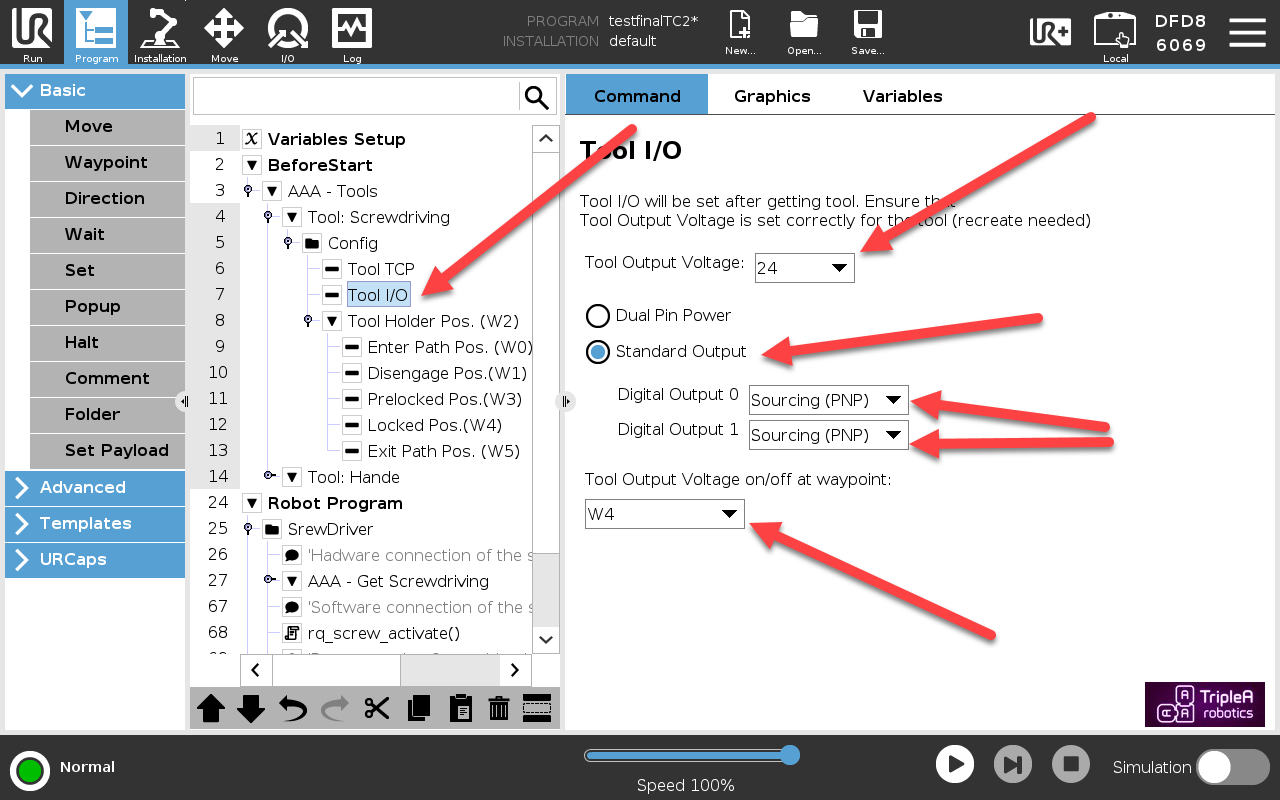
C/- Configure the Tool I/O as the picture bellow :
D/- Configure the Tool Holder Pos (please refer to the WINGMAN User Guide section "8.5.3 Basic setup of tool change movement")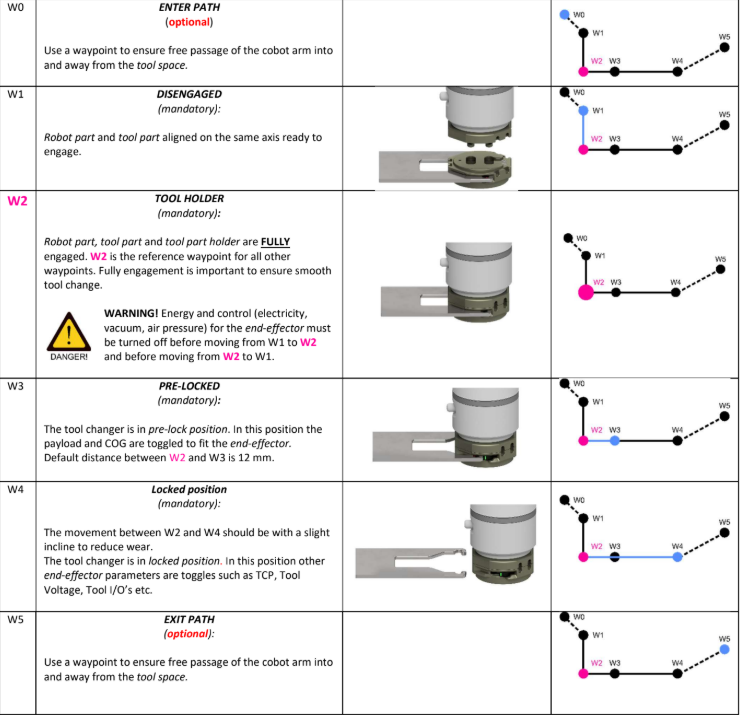
2/- Robotiq Screwdriver Programs
The screwdriver operates using a simple logic.
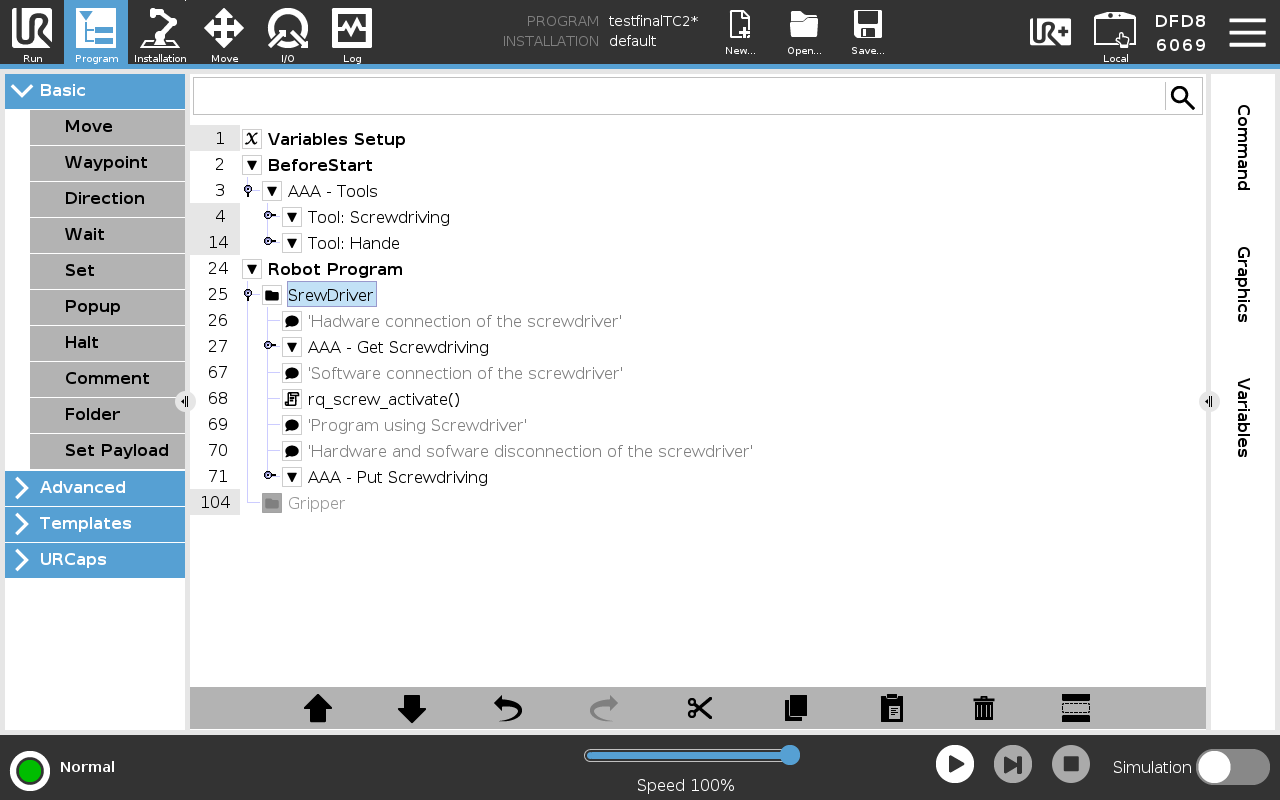
Notes:
- The function AAA – Get “Tools” allows the robot to retrieve a tool from the tool part holder.
- The function AAA – Put “Tools” allows the robot to place the tool back onto the tool part holder.
- The script rq_screw_activate() is used to activate the screwdriver before using it.
3/- Grippers Programs
All Robotiq grippers operate using the same logic and can share a common program template.
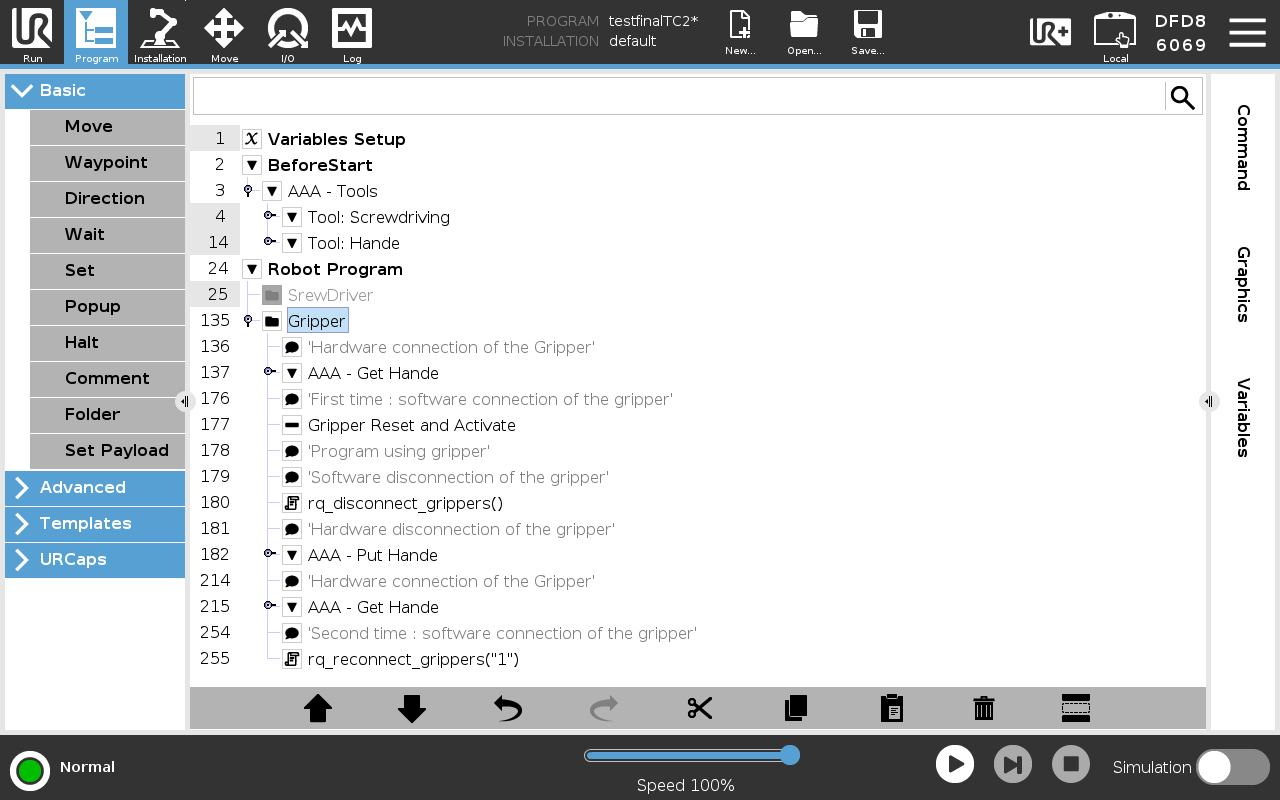
Notes:
- The function AAA – Get “Tools” allows the robot to retrieve a tool from the tool part holder.
- The function AAA – Put “Tools” allows the robot to place the tool back onto the tool part holder.
- When using a gripper for the first time, it must be activated and reset before normal operation.
- The script rq_disconnect_grippers() is used to properly disconnect a gripper when it will be reconnected later.
- The script rq_reconnect_grippers("Id of the gripper") remembers which gripper was connected and reconnects it automatically after a tool change.
Documentation
Troubleshooting
- Ensure the robot firmware and Polyscope are up to date.
- Verify that the gripper or screwdriver is correctly recognized.
- Use the following scripts for diagnostics:
- rq_is_gripper_connected()
- rq_get_screw_status()
Conclusion
Integrating a Triple A robotics Wingman(™) tool changer with Robotiq screwdriving solutions and grippers enables flexible multi-tool applications on Universal Robots. Correct hardware selection, careful mechanical installation, and proper software configuration are essential to ensure reliable operation. Refer to Robotiq Support resources for detailed tool data, URCaps, and programming examples.
Need help? Contact us !
Updated: March 2026