![logo bleu-blanc2.png]](https://blog.robotiq.com/hs-fs/hubfs/logo%20bleu-blanc2.png?height=40&name=logo%20bleu-blanc2.png)
Here is a template program:
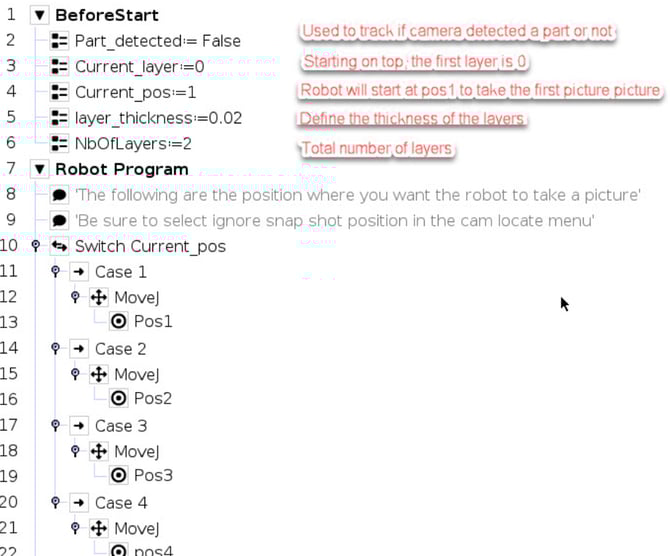
-
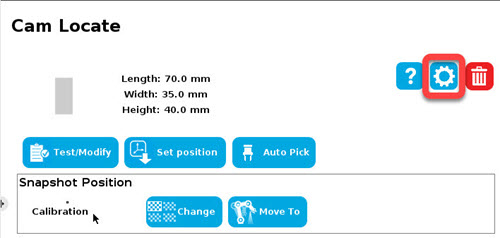
Teach the object in the Cam Locate node
-
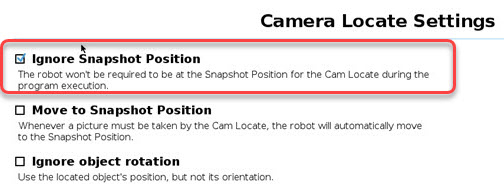
In Cam Locate settings, enable “Ignore snapshot position”
-
This allows reuse of the same object definition across multiple locations
-
-
Cycle Through Positions in the Program
-
Use a loop to:
-
Start at Position 1
-
Try to locate a part using the corresponding Environment
-
If no part is found, move to Position 2, and so on…
-
-
-
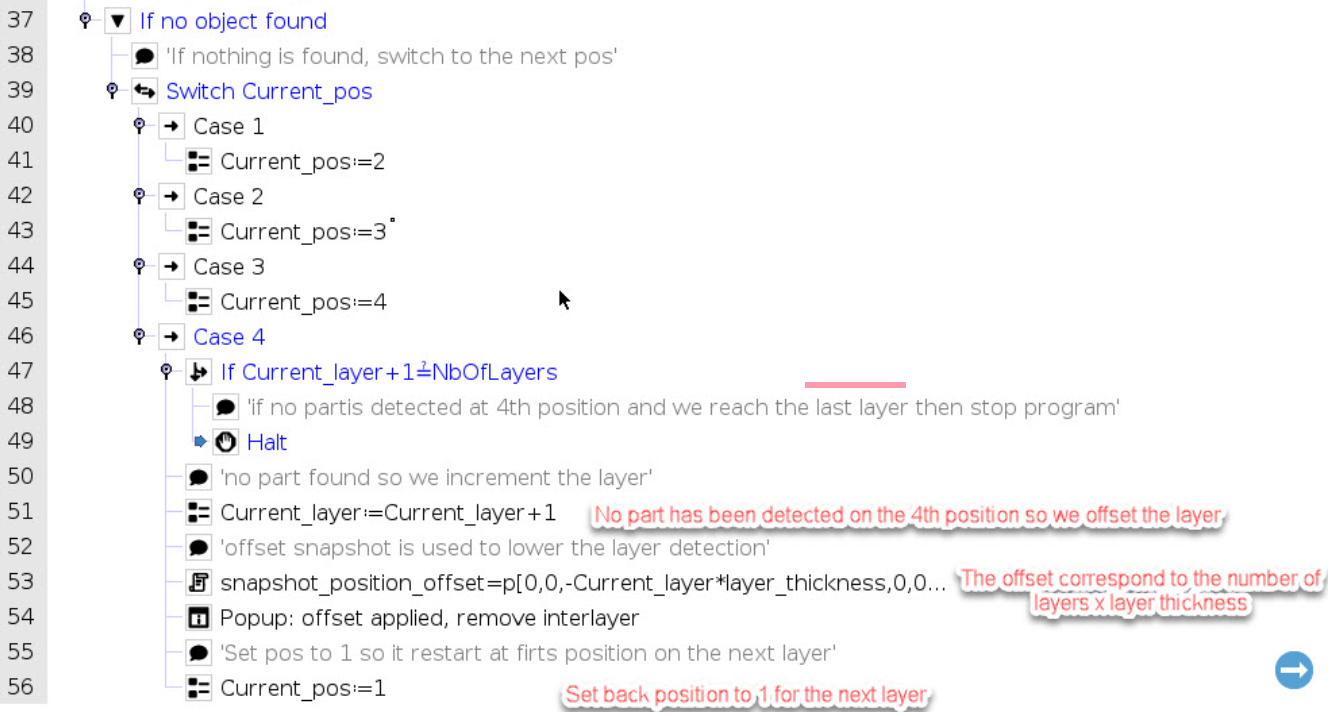
Handle Layer Change and Interlayer Removal
-
After reaching Position 4 (or last), if no parts are detected:
-
Change the layer by adjusting the snapshot Z offset
-
Reset current position to 1
-
A popup appears asking the operator to remove the interlayer
-
The robot then resumes at Position 1 on the new layer
-
-
Conclusion
The camera can tolerate approximately ±10% scaling when detecting an object. As a result, if the thickness of your part is relatively small, the camera may detect parts from the layer underneath, especially if the target layer is empty and there is no interlayer to visually block the lower parts.
This is why interlayers were added. They may not be required if the part thickness is sufficient to fall outside the ±10% scaling tolerance.
Need help? Contact Robotiq Support
Updated: January 2026