![logo bleu-blanc2.png]](https://blog.robotiq.com/hs-fs/hubfs/logo%20bleu-blanc2.png?height=40&name=logo%20bleu-blanc2.png)
A Robotiq gripper mounted behind a SmartShift tool changer can lose communication with the robot controller when the tool is swapped. This article covers the compatible combinations, the URCaps and script to install, and the workaround that restores the connection.
Principles of the Tool Changer: Smartshift
Video link: https://www.youtube.com/watch?v=-KMpbDapuOI
Technical Documentation: https://smartshift-robotics.com/download/
Compatibility
Universal Robots - E-Series Model Only
Compatible Robotiq Grippers : 2F-85, 2F-140, Hand-E, Hand-E C10, Hand-E P7L, EPick
Source:
How to Implement
Download and Install on the root of a USB key
- Smartshift URCaps: https://smartshift-robotics.com/download/
- Robotiq Script rq_cycle_tool_voltage_until_connection (here) to ensure :
- Compatibility between the tool changer and the gripper
- Communication between UR E-Series and Robotiq Gripper through the Smartshift tool
Follow the steps described here : https://share.robotiq.com/public/e9bf5
Camera Setting Example
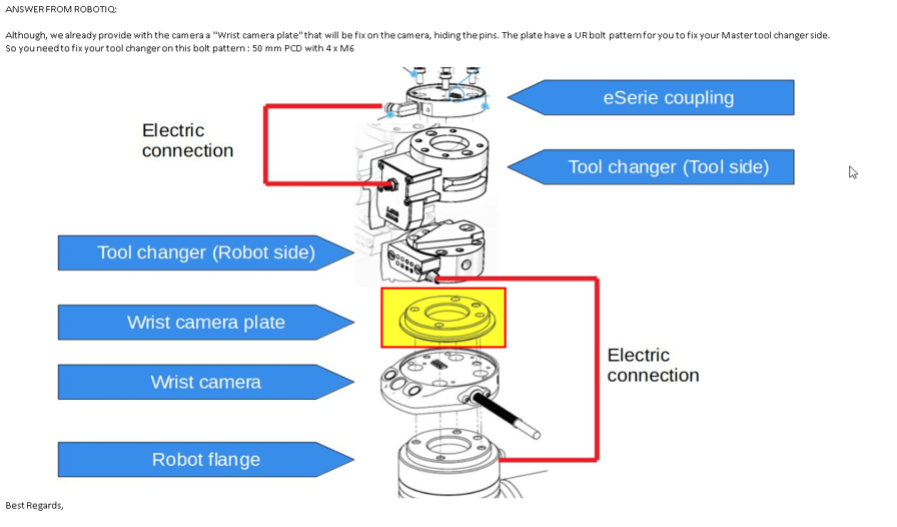
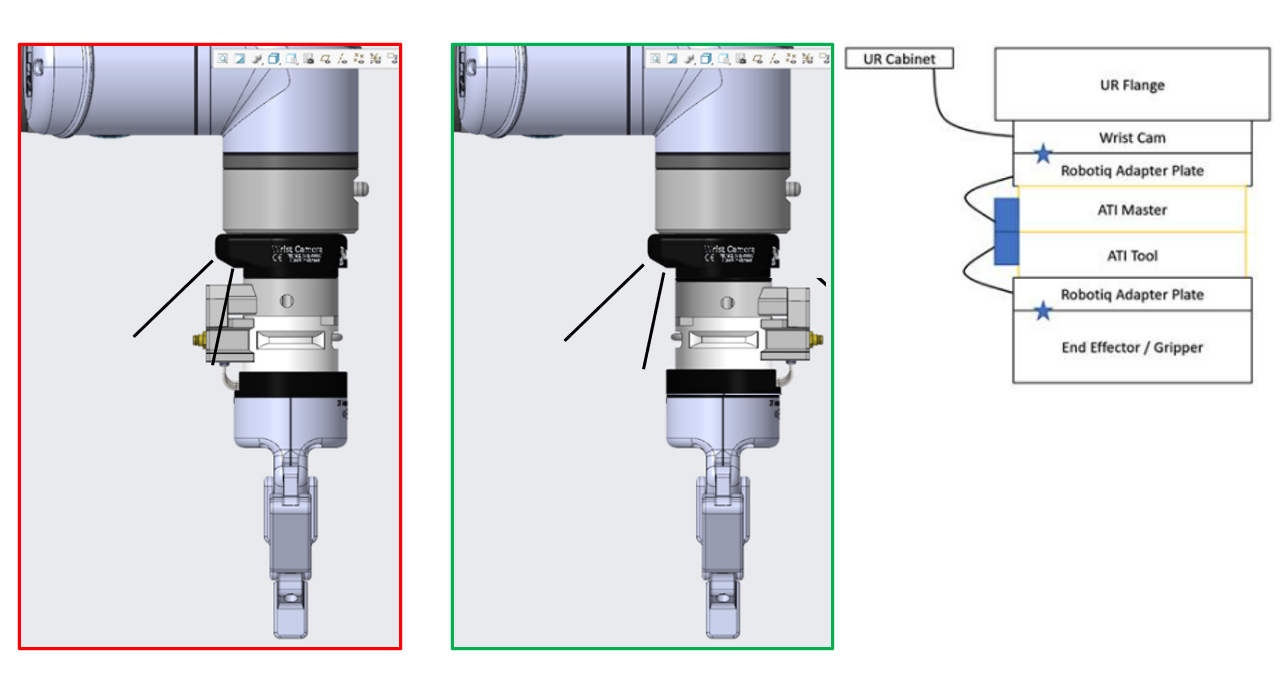
Documents :
- rq_cycle_tool_voltage_until_connection.script (743 Bytes)
- P-TSS-007-Smartshift-Robotiq-grippers-compatibility-V1.0.pdf (700 KB)
- Technical Instructions / User Manual, SmartShift Tool Change system (1.5 MB)
Need help? Contact Robotiq Support.
Updated: August 25, 2026