![logo bleu-blanc2.png]](https://blog.robotiq.com/hs-fs/hubfs/logo%20bleu-blanc2.png?height=40&name=logo%20bleu-blanc2.png)
Context
In Multipick applications, you may need more than one sensor to detect the presence of multiple boxes or specific picking conditions. While the URCap interface usually allows only one digital input for box detection, you can combine two sensor signals (DI0 and DI1) into a single logical result. This is done using a Polyscope thread and an installation variable, allowing both sensors to work together within the URCap’s single-input limitation.
Information
Digital Input & Output Setup
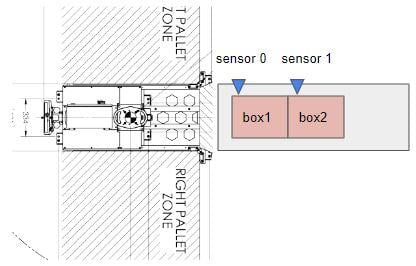
In this example:
-
Sensor 0 is connected to DI0 (Digital Input 0)
-
Sensor 1 is connected to DI1 (Digital Input 1)
The goal is to output a high signal only when both DI0 and DI1 are high. This is done using a Polyscope thread that controls a digital output.
2. Creating the Polyscope Thread
In the robot program, add a thread with the following logic:
.png?width=508&height=178&name=thread).png)
Make sure to declare PickTwoBoxes as a Boolean installation variable.
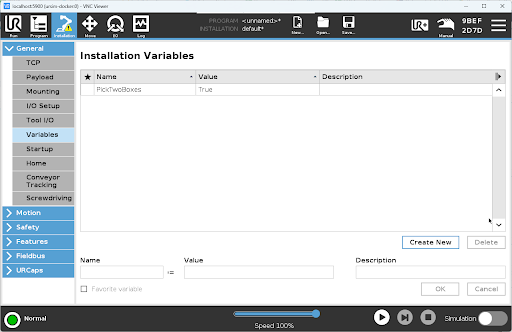
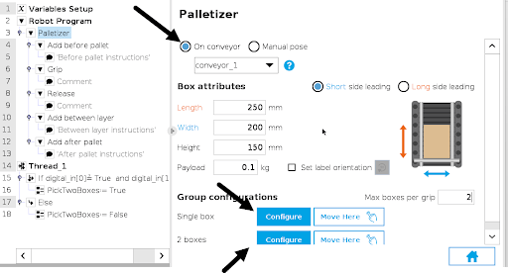
3.1 URCap Configuration with a Custom Variable generic conveyor
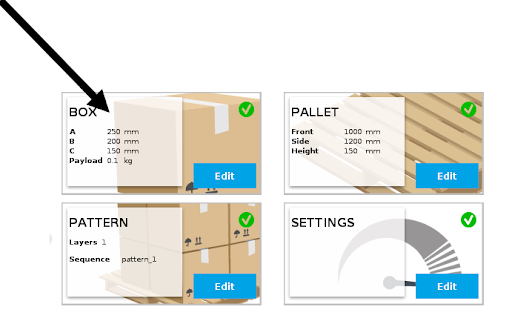
In the Palletizer’s URCap interface, go to the Box section under each box "configure" menu.
-
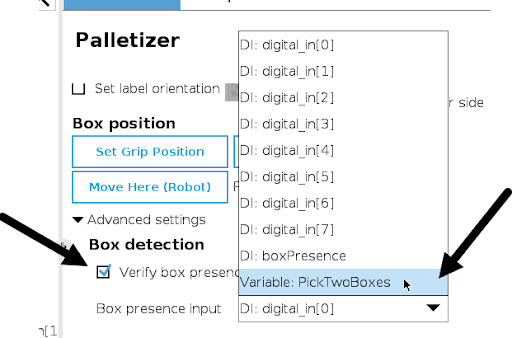
Enable Verify box presence
-
In the Box presence input dropdown, scroll down and select the installation variable
PickTwoBoxes
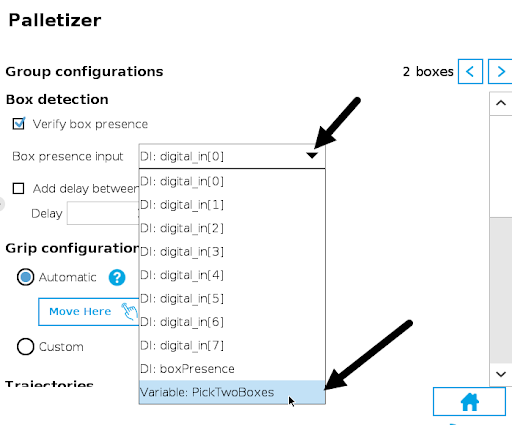
This allows the URCap to treat both sensors as a single logical input.
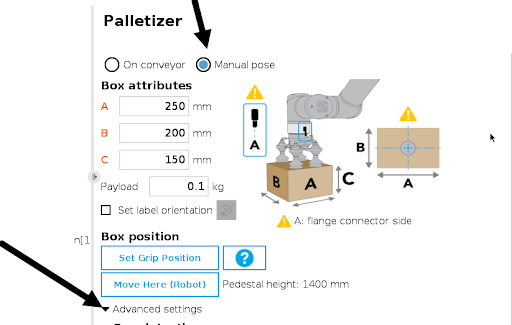
3.2 URCap Configuration with a Custom Variable Manual pose
In the Palletizer’s URCap interface, go to the
-
Box section
-
Manual pose.
- Advanced Settings
-
Enable Verify box presence
-
In the Box presence input dropdown, scroll down and select the installation variable
PickTwoBoxes
Conclusion
By combining DI0 and DI1 into a single logic-controlled variable (PickTwoBoxes), and using it as the box detection input, you can effectively use two sensors within the URCap’s single-input limitation. This approach simplifies configuration while maintaining flexibility for advanced detection scenarios.
Need help? Contact us at https://robotiq.com/contact
Updated: January 2026