![logo bleu-blanc2.png]](https://blog.robotiq.com/hs-fs/hubfs/logo%20bleu-blanc2.png?height=40&name=logo%20bleu-blanc2.png)
We have seen cases where the customer wants to create stacked pallets using the palletizer.
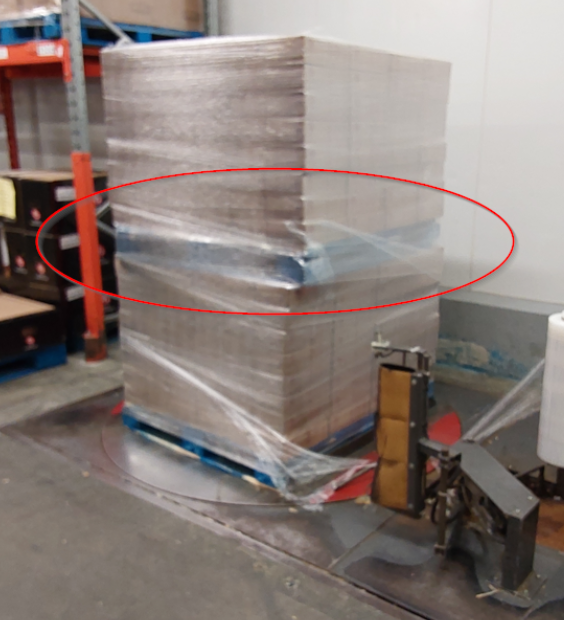
The sequence could go as follows :
- An empty pallet is placed on either side of the palletizer.
- 3 or 4 layers of boxes are stacked.
- The program pauses.
- The operator places an empty pallet on top of the stack.
- The operator validates the task is done by pressing a button, outside of the work zone.
- Palletizing restarts. The palletizer offsets the release height to compensate for the pallet presence.
Knowledge
Here is a template showing how to manage such scenario using the rq_set_pallet_height() script command.
This procedure requires Copilot 4.0.1 or later for reliable operation.
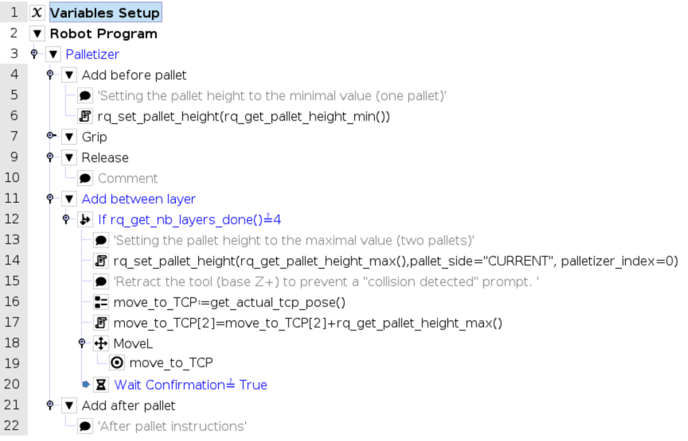
Line 20 : Program waits for the operator to press the confirmation button to proceed.
The minimal and maximal pallet height must be set using the palletizing node "Variable height" feature : 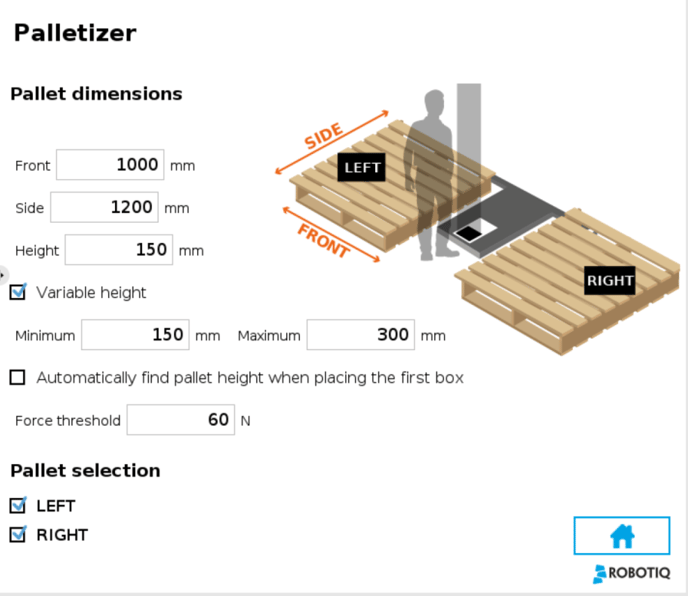
Need help? Contact Robotiq Support.
Updated: August 25, 2026