![logo bleu-blanc2.png]](https://blog.robotiq.com/hs-fs/hubfs/logo%20bleu-blanc2.png?height=40&name=logo%20bleu-blanc2.png)
This document explains how to save a visual offset once it is found, and then reuse that offset later in a program by creating an installation variable and a feature point. This avoids having to constantly re-run the Find Visual Offset node.
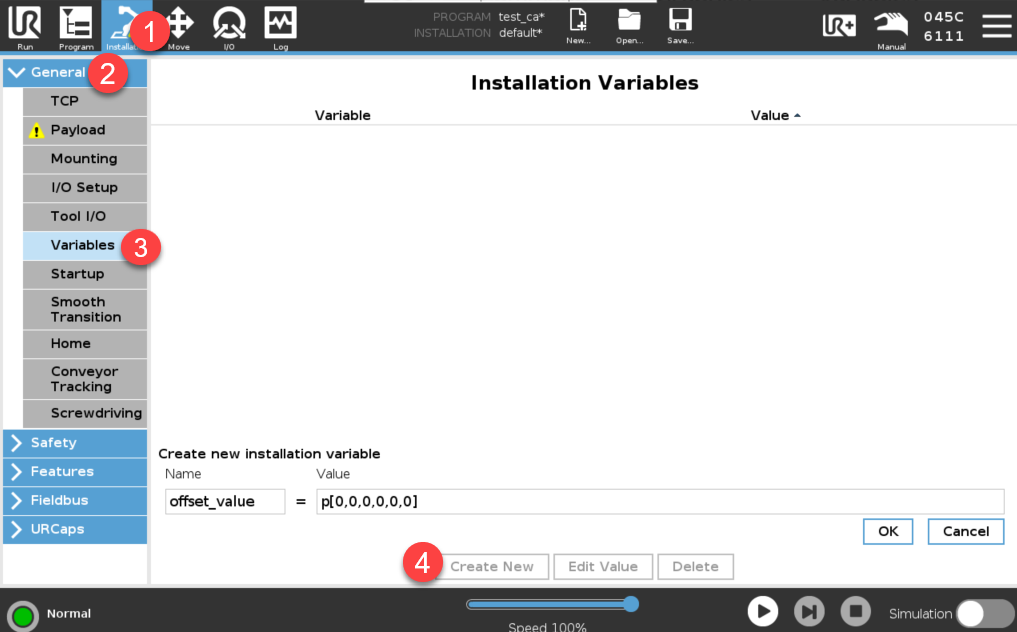
Creating an Installation Variable
-
Define a variable that will store the offset value.
Example:offset_value = p[0,0,0,0,0,0](representing a 6‑axis pose). -
This variable holds the transformation (offset) calculated by your visual offset routine.
Creating a Feature Point
-
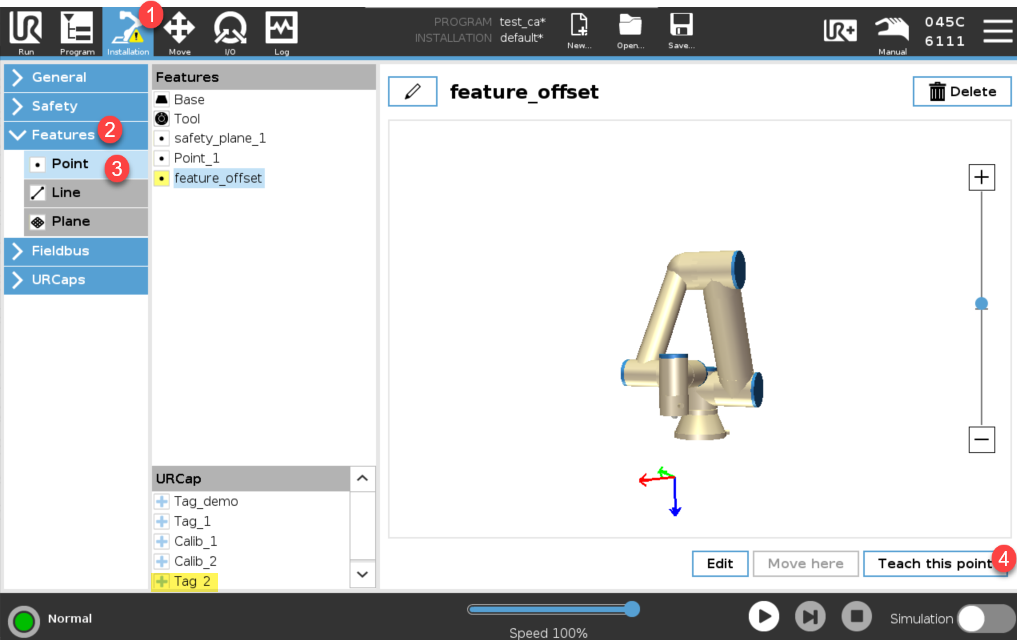
Create a feature point that represents a physical target in your work cell.
-
Teach this feature point in the database reference frame (same frame your visual offset tag uses).
-
When taught, the feature point location should match where your offset tag is located.
Saving the Offset
-
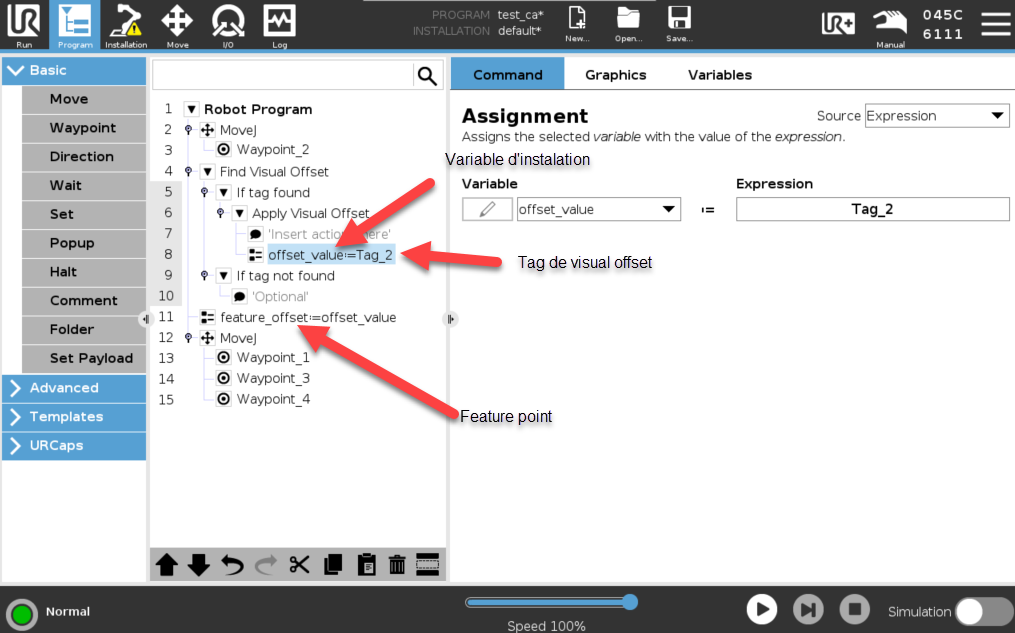
In your program, once the visual offset is located (via “Find Visual Offset”), store its result in the
offset_valueinstallation variable. -
The offset from the visual sensor becomes accessible elsewhere through that variable.
Applying the Offset via a Feature Point
-
Use the
offset_valuewith the feature point to create a new “feature_offset” (or similar), which combines the feature point’s location and offset. -
Wherever you would normally move relative to the visual offset (tag), you can now move relative to feature_offset instead.
Benefits
You don't need to repeatedly run “Find Visual Offset” before every motion that uses that offset.
The program is now more stable, cleaner, and faster. It is especially useful if the offset is unlikely to change between runs.
Need help? Contact Robotiq Support
Updated: January 2026