![logo bleu-blanc2.png]](https://blog.robotiq.com/hs-fs/hubfs/logo%20bleu-blanc2.png?height=40&name=logo%20bleu-blanc2.png)
Context
When using EtherNet/IP for communication, control may fail or behave unexpectedly if Copilot is managing the soft speed transition after a safeguard stop and pop this error :
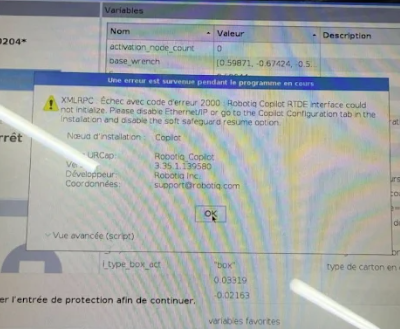
This setting can interfere with external control through EtherNet/IP.
Information
Cause
The following Copilot option may block proper EtherNet/IP communication:
“Use Copilot to manage soft speed transition when resuming from a safeguard stop”
When enabled, Copilot controls the speed transition logic, which can conflict with EtherNet/IP external control.
Solution
-
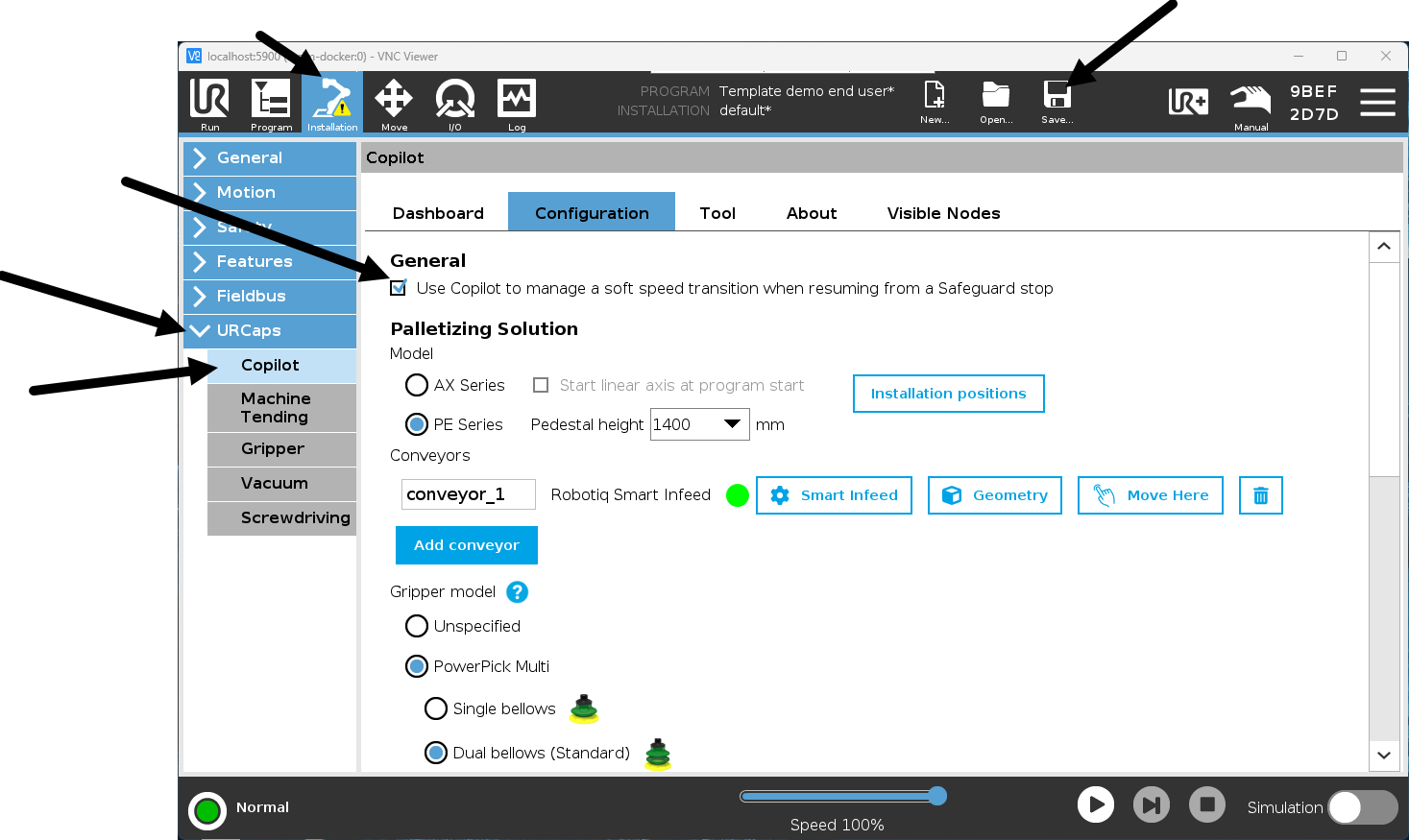
Go to Installation
-
Select URCaps
-
Open Copilot
-
Untick:
“Use Copilot to manage soft speed transition when resuming from a safeguard stop” -
Save the installation
-
Restart the program if necessary
Equivalent Feature in Universal Robots
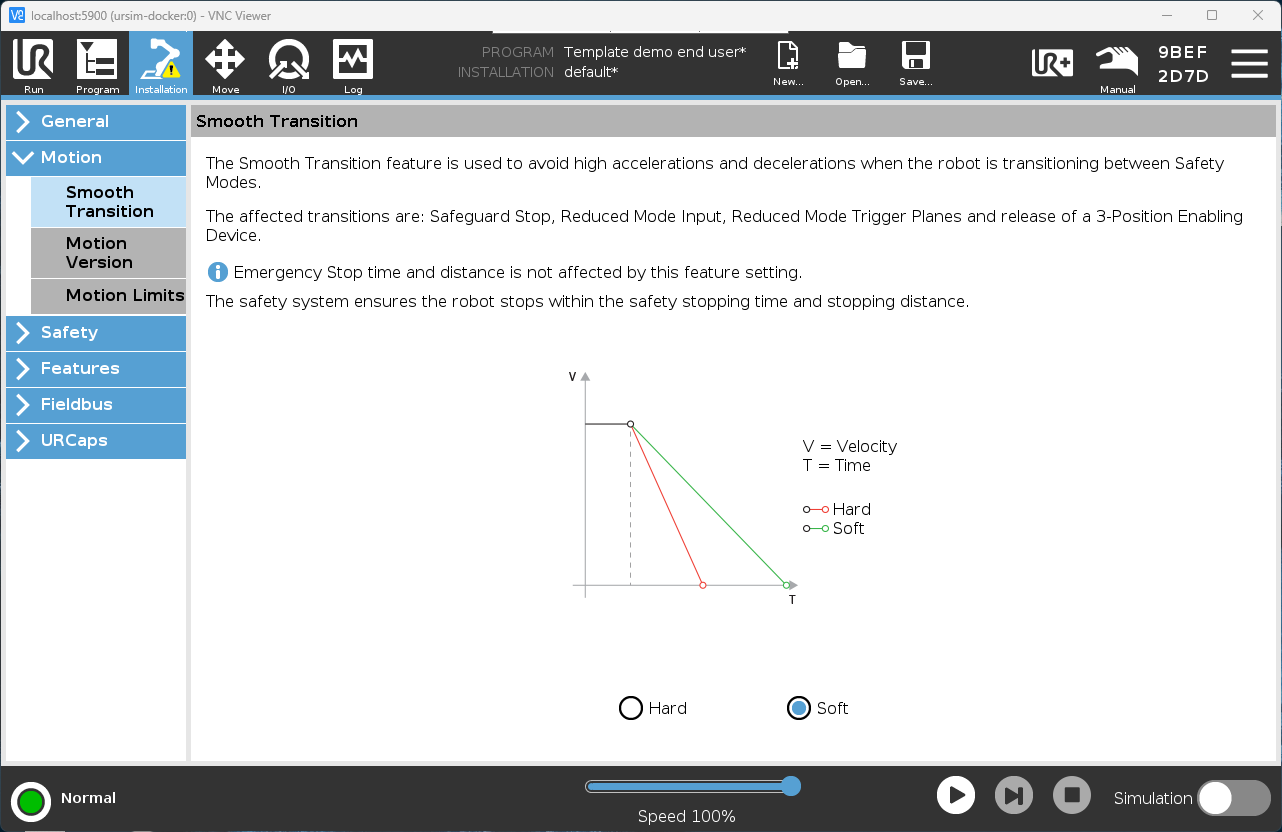
If you need a similar soft speed transition behavior without using Copilot, Universal Robots provides built-in safeguard stop recovery settings directly in Polyscope.
You can configure speed scaling and safeguard stop recovery behavior in the robot’s safety settings. This allows you to manage restart behavior natively within UR, while keeping EtherNet/IP communication fully functional.
Refer to the Universal Robots safety configuration documentation for details on safeguard stop recovery parameters.
On Polyscope 5.25 :
Verification
After disabling this option, verify that EtherNet/IP communication is restored and that external control operates as expected.
Conclusion
Disabling Copilot’s safeguard stop soft speed transition management allows EtherNet/IP to fully control the system without interference. If a soft transition is required, similar behavior can be configured directly in the Universal Robots safety settings.
Need help? Contact us at https://robotiq.com/contact
Updated – March 2026