![logo bleu-blanc2.png]](https://blog.robotiq.com/hs-fs/hubfs/logo%20bleu-blanc2.png?height=40&name=logo%20bleu-blanc2.png)
This article provides an overview of the couplings used to connect Robotiq end-effectors to Universal Robots (UR), including information about cable replacement options, part numbers, and compatibility between different UR models.
Robotiq couplings are designed to make installation and connection straightforward. However, depending on the robot model and the coupling version, the associated cables may or may not be replaceable. This guide helps clarify which type of coupling you have and what to do if you need to replace a damaged cable.
Couplings and Cables Available for UR Robots
Robotiq offers different coupling kits to match the UR robot series in use. There are specific models for both the UR e-Series and the UR CB Series.
UR e-Series Coupling Kits
There are now two generations of e-Series robots with different wrist connector types:
-
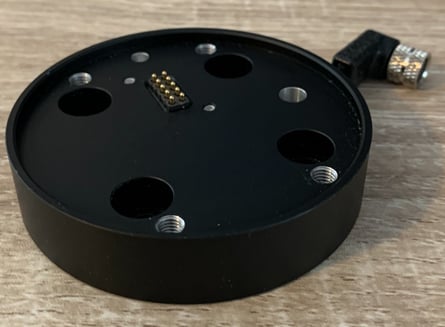
Older e-Series models had a male wrist connector, which required a coupling with a female cable connector.
-
Coupling: GRP-ES-CPL-062
-
Replacement cable: CBL-COM-2072
-
-
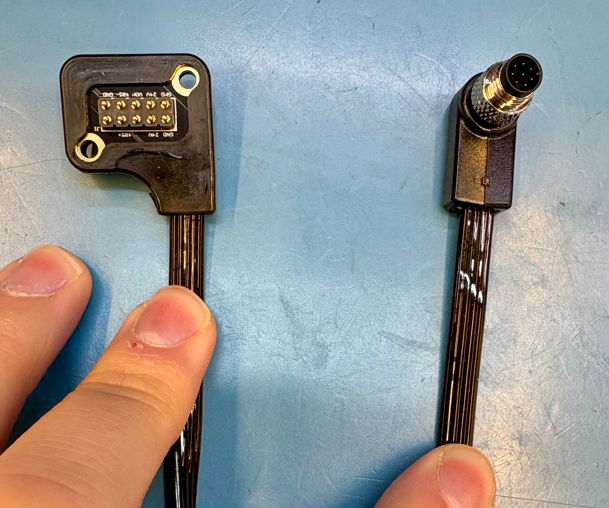
Newer e-Series models have a female wrist connector, which now requires a coupling with a male cable connector.
-
Coupling: GRP-ES-CPL-077
-
Replacement cable: CBL-COM-2077-01
-
UR CB-Series Coupling Kits
Two coupling options exist for CB-Series robots (connected to the UR controller):
-
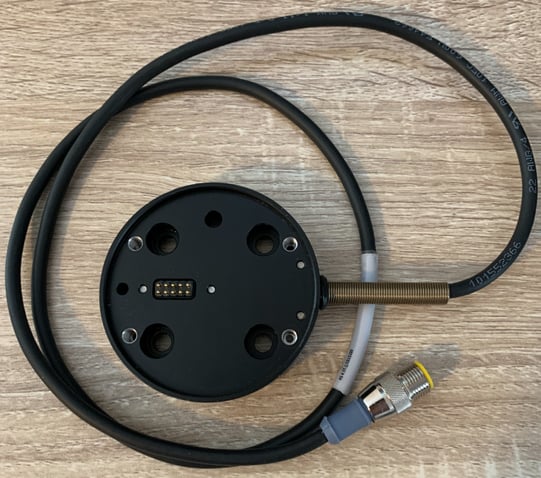
New model (improved design):
-
Coupling: GRP-CPL-062 (3 mm thicker than the old version, offers better robustness.)
-
Replacement cable: CBL-COM-2070-01
-
-
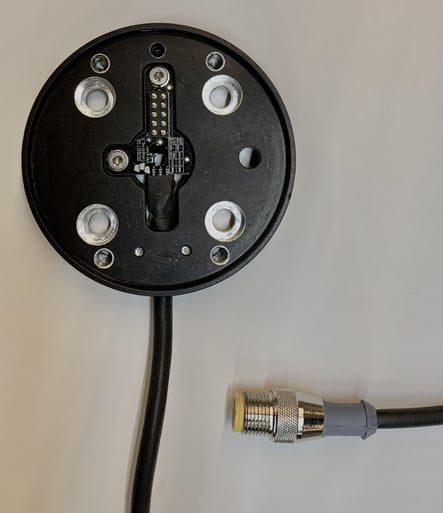
Older model:
-
Coupling: AGC-CPL-062-002
-
Replacement cable: CBL-COM-2066
-
Robotiq I/O Coupling for CB-Series
-
Coupling: IO-CPL-UR-CB-KIT
-
Connects directly to the UR CB-Series wrist
-
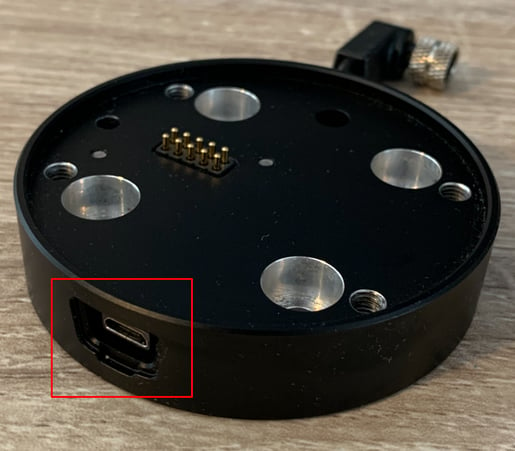
Includes four configurable presets that can be called in a UR program. These presets must be configured by connecting a micro-USB cable to a computer and using the Robotiq User Interface.
-
To use this coupling:
-
Download and install the Wrist Connection URCap
-
IMPORTANT: Do not install the Gripper URCap alongside the Wrist Connection URCap
-
-
Cable cannot be replaced separately, as it is serialized
-
Cable Management Best Practices
To avoid premature cable wear:
-
Route cables with adequate slack to allow free movement.
-
Avoid tight bends or repeated twisting at the coupling point.
-
Use the robot’s built-in cable routing paths whenever possible.
- Consult our free e-Learning course on Cable Management Best Practices
If you experience intermittent connection or tool errors, inspect the cable at the coupling first. Many issues can be traced to damaged or fatigued wires. For more information, see the related article: Error - How to Troubleshoot Connection Issues with a Robotiq Gripper
Conclusion
Robotiq offers tailored couplings for both e-Series and CB Series UR robots, with most models supporting cable replacement. Always verify your UR model’s wrist connector type to ensure you select the correct coupling and replacement cable. Note that the Robotiq I/O Coupling requires special handling and cannot be repaired via cable replacement.
For troubleshooting tips or part verification, consult our support resources or browse related articles.
Need help? Contact Robotiq Support
Updated: January 2026