![logo bleu-blanc2.png]](https://blog.robotiq.com/hs-fs/hubfs/logo%20bleu-blanc2.png?height=40&name=logo%20bleu-blanc2.png)
This article explains how to modify the gate activation delay on a Robotiq Smart Infeed Conveyor. By updating a JSON parameter in the Palletizer recipe, you can control the time between the gate sensor activation and the gate valve activation. This adjustment can help optimize box positioning and overall infeed timing.
Creating the Required Feature
-
Go to Installation.
-
Open the Feature tab.
-
Create a new point.
-
Rename the point to:
rq_pal_json
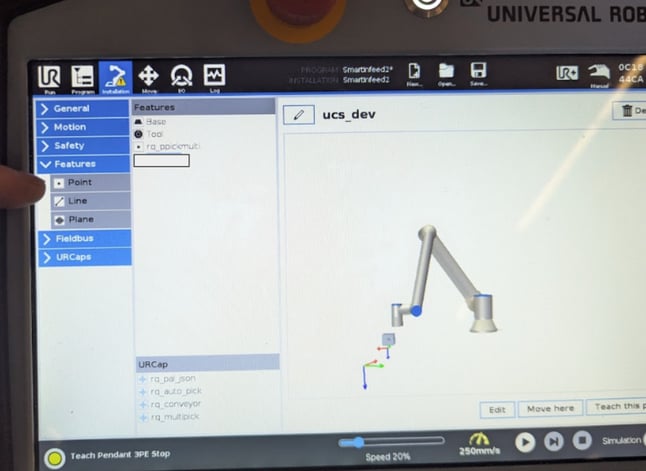
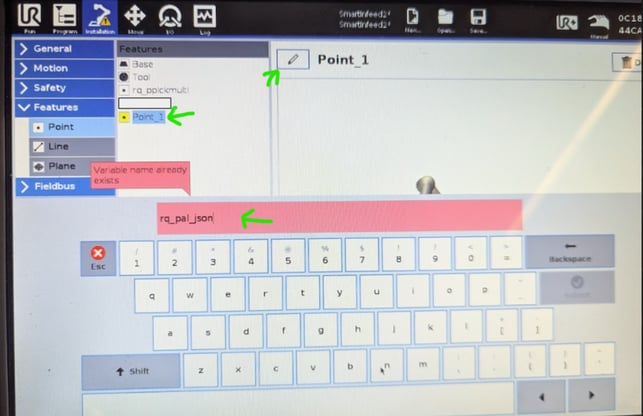
This feature enables the system to read custom JSON parameters from the Palletizer recipe.
Editing the Palletizer Recipe
-
Go to Program.
-
Open Palletizer.
-
Select Recipe.
-
Edit the desired box.
-
Click Configure.
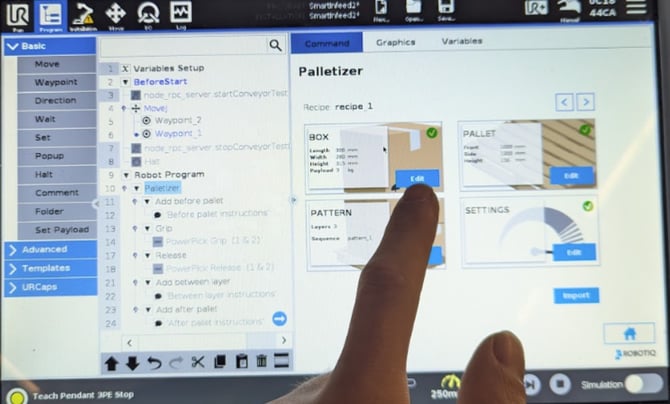
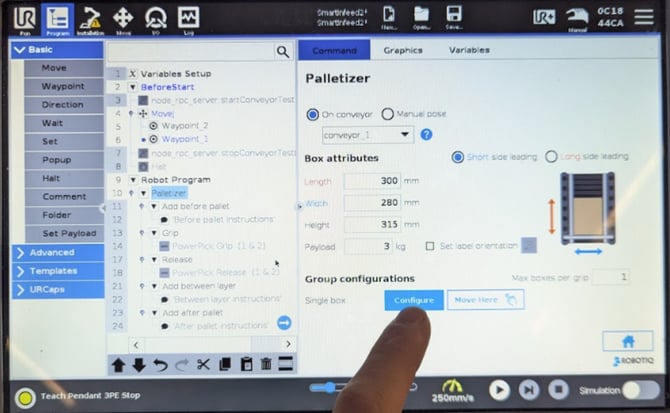
Adding the JSON Parameter
-
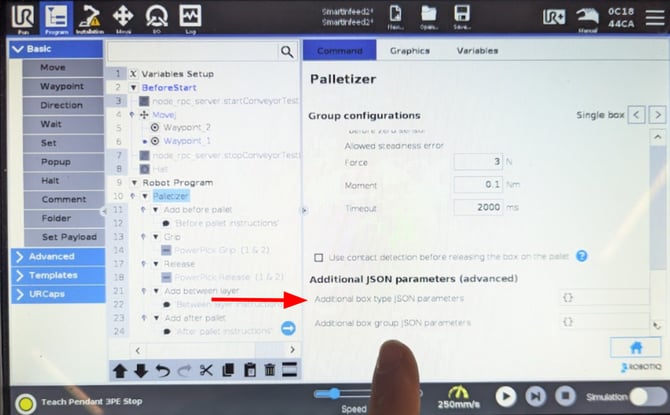
Scroll down to Additional box type JSON parameters.
-
Enter the following parameter:
{“infeed.gateJustificationDelay”:x.x}
Replace x.x with the desired delay value in seconds.
Example:
{“infeed.gateJustificationDelay”:0.5}
In this example, the delay is set to 0.5 seconds between the gate sensor activation and the gate valve activation.
Configuring Different Delays per Box Group
Different delay values can be configured for different box groups.
If your application requires varying timing depending on box type, repeat the configuration above for each relevant box group and adjust the delay value accordingly.
Conclusion
Updating the gate activation delay allows you to fine-tune the infeed behavior and improve box positioning consistency. Always validate the timing after making changes to ensure smooth and reliable operation.
Need help? Contact Robotiq Support
Updated: March 2026