![logo bleu-blanc2.png]](https://blog.robotiq.com/hs-fs/hubfs/logo%20bleu-blanc2.png?height=40&name=logo%20bleu-blanc2.png)
The support file is the archive of logs and settings that a Universal Robots controller exports to a USB drive. Robotiq Support asks for it to investigate faults that the teach pendant alone does not explain.
- Insert a blank USB drive into the UR robot.
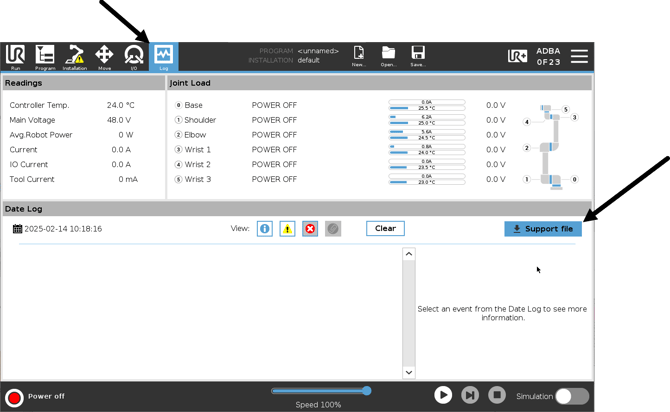
- On the teach pendant, click on Log Menu.
- Tap the blue "Support file" button.
- Follow the instructions.
Need help? Contact Robotiq Support.
Updated: August 24, 2026