![logo bleu-blanc2.png]](https://blog.robotiq.com/hs-fs/hubfs/logo%20bleu-blanc2.png?height=40&name=logo%20bleu-blanc2.png)
Rubber pads on the 3-Finger Gripper may wear out over time. This short guide shows how to replace them quickly, whether on a finger segment or the palm.
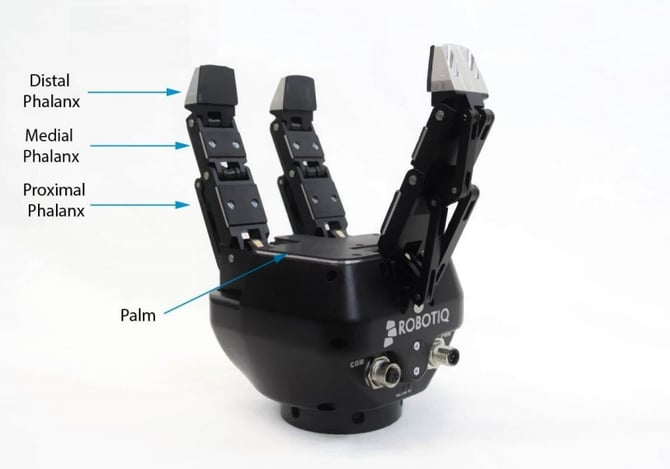
Pads Covered
-
Proximal Phalanx (AGS-PAD-013)
-
Medial Phalanx (AGS-PAD-014)
-
Distal Phalanx (AGS-PAD-016)
-
Palm (AGS-PAD-071)
Replacement Steps
-
Remove the screws holding the rubber pad
-
Remove the old pad and clean the surface.
-
Position the new pad and align it with the holes.
-
Reinstall the screws and tighten gently.
That’s it! Repeat the same steps for any other rubber pad on the gripper. Keeping the pads in good condition ensures reliable grip performance.
Updated: December 2025